Day 542: Rethinking Pricing
A month and a half ago (oh geez, has it really been that long), I designed Browserflow’s pricing plan over two days: Day 491: pricing and Day 492: Pricing Plans
Here’s what the pricing page looks like right now:
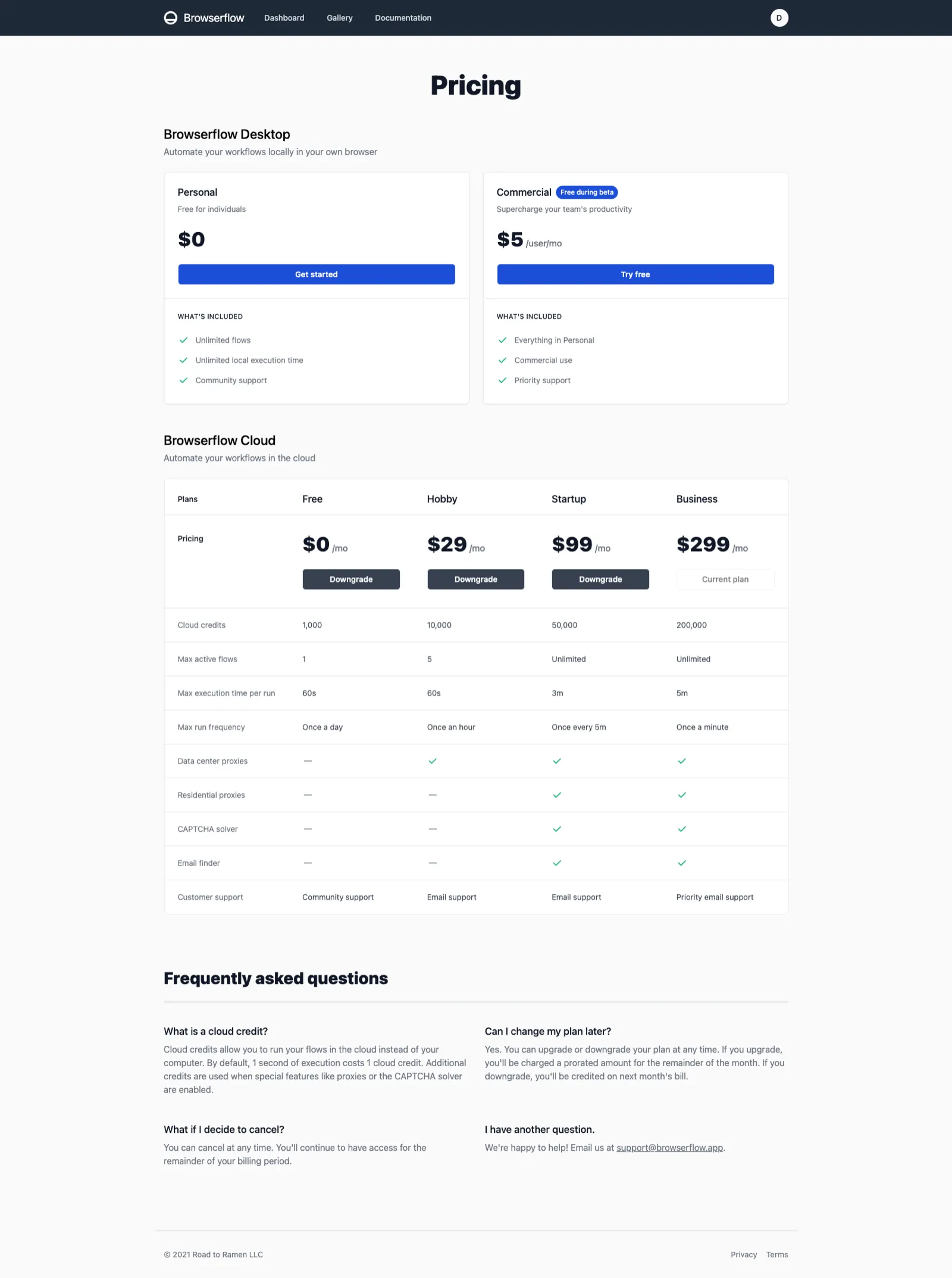
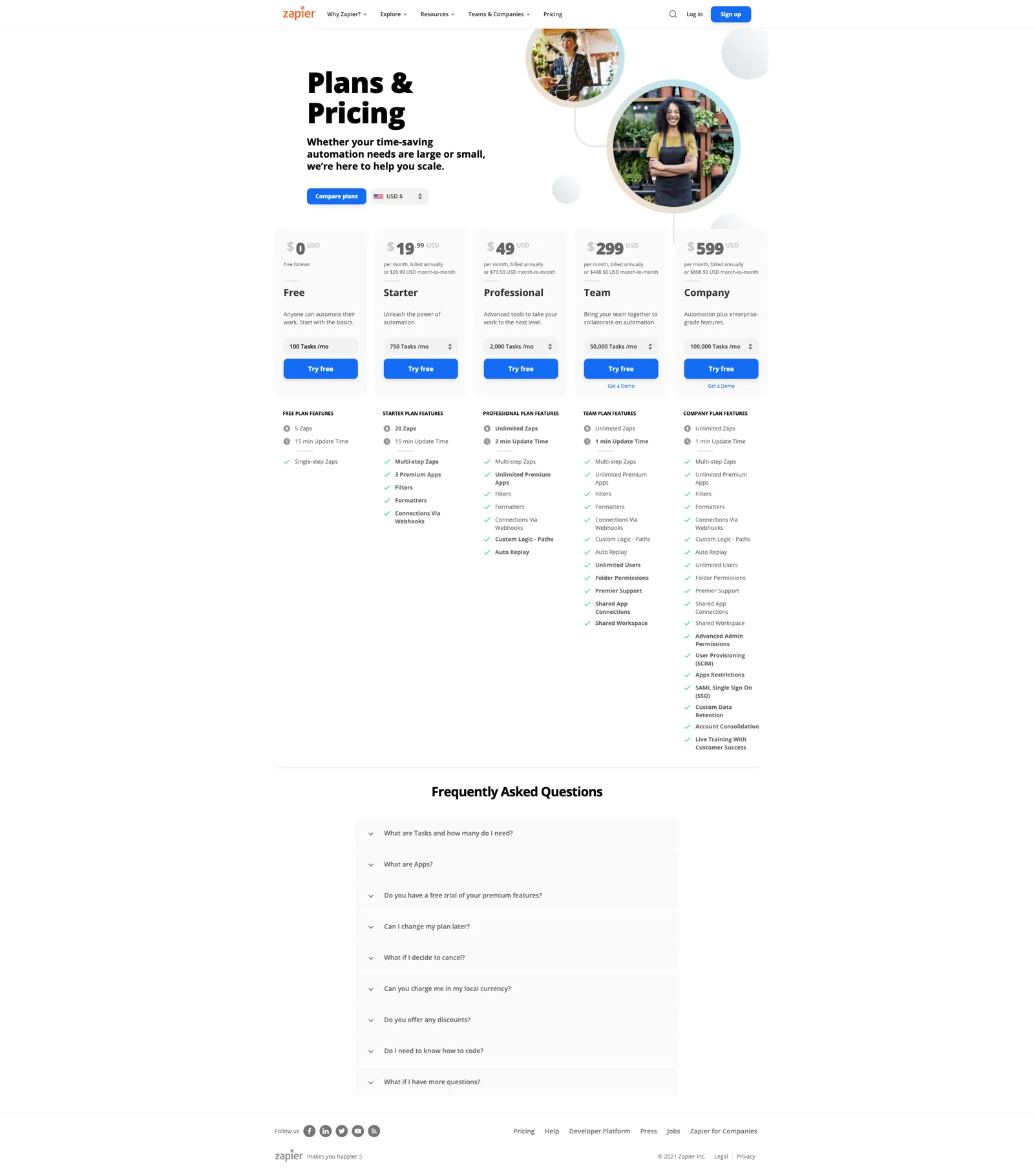
My pricing plan is heavily modeled after Zapier’s because having the cost correlate to usage (which is a proxy of value received from the service) makes a lot of sense.
Zapier's pricing page
But from talking to people about my pricing plan, there are a few major issues:
- “What the heck is a cloud credit and how many do I need”
- “Having separate pricing for desktop and cloud is confusing”
Cloud credits
I chose cloud credits for two reasons:
-
My costs are determined largely by the time spent using my cloud provider’s servers so charging based on execution time ensures that I always have a healthy margin
-
Charging cloud credits allows me to easily handle charging for features like proxies and CAPTCHA solvers
- Using a proxy would increase the credits used per second of runtime from 1 credit/second to X credits/second. Having everything be in terms of credits makes it easy to determine whether a feature can be used or not.
Why these are bad reasons: Customers don’t care.
What customers do care about is whether your service provides enough value to justify paying $X/month.
It’s difficult to gauge how much value you’re getting from X cloud credits. Say you have 10,000 credits. That’s 10,000 seconds of runtime in a month, or 166.7 minutes, or about 5.5 minutes per day. But that doesn’t clarify much. How much work would be automated running flows for 5.5 minutes per day?
Once you start running flows in the cloud, you can see how long a flow typically takes and get an idea of how much runtime you need. For example, if you have a flow that usually takes about 30 seconds to run and you need to run it every day, then you’d need about 30 seconds per day * 1 credit/second * 30 day/month = 900 credits for that flow per month.
But this is a lot of extra work needed to figure out what value you’re getting so it’s not great.
I think having pricing in terms of cloud credits could work, but it’s much more geared towards developers (who often think in terms of runtime / are familiar with that model due to cloud computing services — see AWS, GCP, browserless, etc.) and it’d be helpful to have a tool that provides estimates.
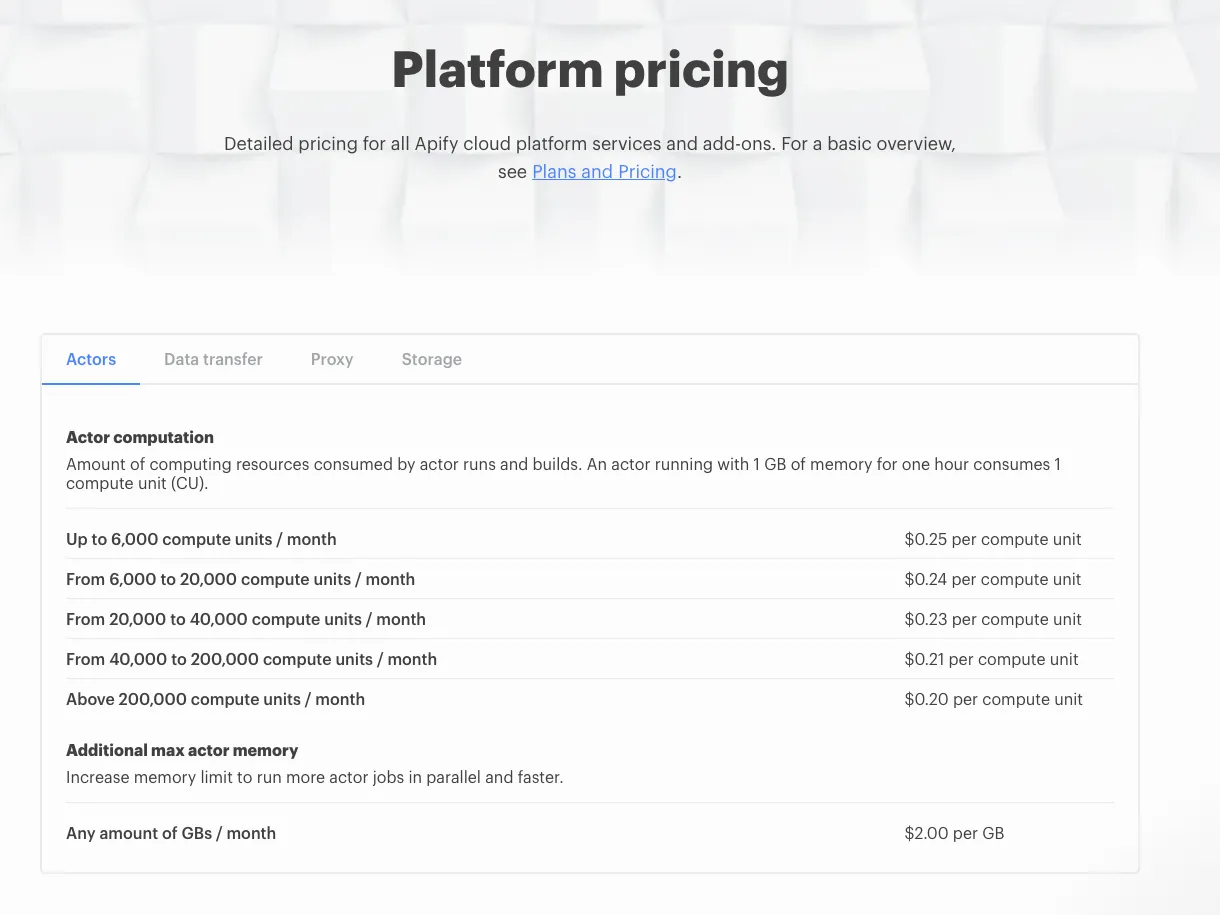
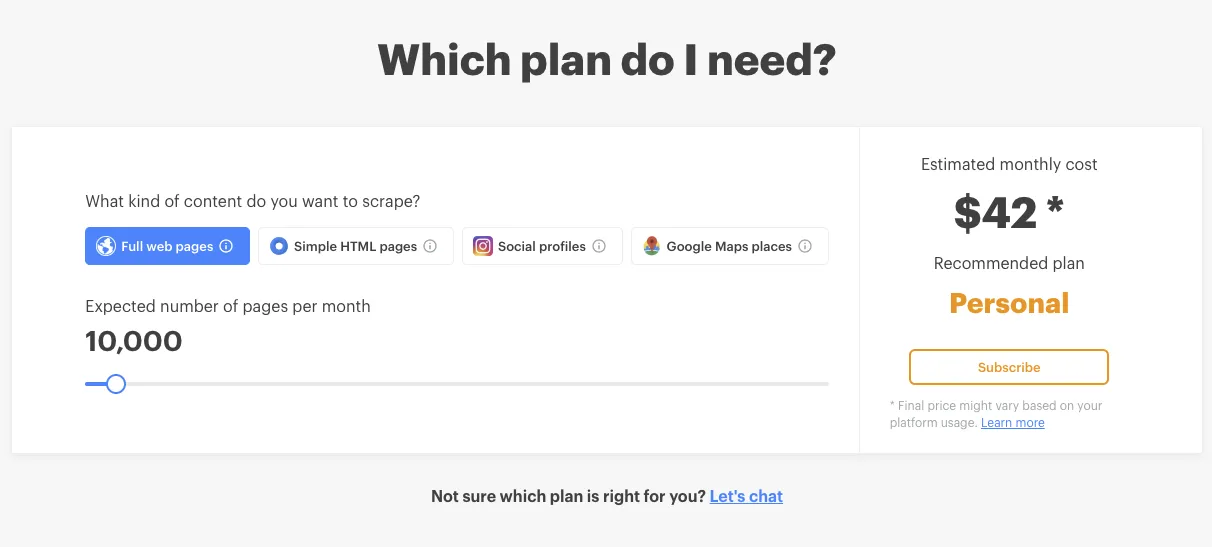
For example, Apify has pretty confusing pricing but they at least provide a tool to help estimate what your workload would translate to:
What’s a better alternative compared to seconds of runtime?
If we take a look at Zapier’s pricing model, they charge in terms of “tasks / month” where a task represents Zapier moving data or performing an action for you. This maps a lot closer to representing what people care about — the work that’s performed for them.
For Browserflow, there are two analogous concepts that can represent work performed / time saved: (1) commands run and (2) flows run.
Charging by the number of commands that are run breaks down when you consider that commands can be looped. Scraping a table with 100 rows would mean repeating the scraping commands (e.g. Get Element Text) 100 times. Should that really cost hundreds of times more than a flow that takes a screenshot and saves it?
So that leaves flows run. A flow represents a unit of work that’s easily understood (e.g. “scrape this page”, “log into this website and perform this task”) which is nice, but it does create a new challenge: How long should a flow be able to run for?
In the current pricing plan, the maximum execution time per run (how long a run can go for) increases as the tiers go up. This means that there would be two variables that affect my actual costs (determined by seconds of runtime): number of runs per months and max execution time per run.
This means that in order to ensure that I wouldn’t ever lose money on a customer, the allowances for the higher tier pricing plans would be effectively limited by the heaviest usage scenario: running all flows for the maximum possible time.
If I ever increase the limits for how long a flow can run for, I’d need to decrease the max number of runs in order to make sure the total possible number of runtime seconds stays below a certain cost threshold.
This would penalize the customers with flows that don’t take a long time because they’re being charged as if their flows could take up the maximum possible time.
A solution here would be to keep the maximum execution time the same across all plans, thereby only changing the possible runs per month, but that then makes it impossible for users to automate longer workflows.
Actually, I think this means that it makes sense to use seconds of runtime to differentiate the plans if I want to allow for longer runs on the higher tier plans. Well, that was a long way to come back to where I started. Glad I decided to write this post before writing code or else I wouldn’t have figured this out.
Also, I think I’m jumping the gun here. The biggest problem to solve right now is not tweaking the pricing plan but finding customers / creating a solution that people are willing to pay for in the first place. My pricing model is not the bottleneck, and I can always change my pricing plan later.