Day 52: Crushed by Coding
Sometimes, coding is a fun game that you want to play all day and all night long. Other times, coding makes you want to curl up into a ball and cry yourself to sleep. Today started off with the former and ended with the latter.
Today, I worked on making Hide Feed more robust when it comes to injecting content into the page. There’s one major challenge with injecting your own content into a host page using a Chrome extension: You share the same styles as the host page.
That means that if the host page has a CSS rule like div { background-color: red }, that will affect your divs as well. This also works in the other direction where the styles that you set will affect the host page’s styles.
Extension → Site: Preventing corrupting the host page’s styles
In order to prevent my code from messing with the host page’s styles, I scope all of my styles within a custom class. For example, I’ll have something like the following:
#hf-feed-container {
	// custom styles here
}
Pretty straightforward.
Site → Extension: Preventing having the host page corrupt my styles
This one is much trickier because the host page’s styles aren’t scoped. In order to prevent name collisions with the host page’s class names, I use CSS Modules to generate obfuscated class names. So instead of having <div class="text-center">hi</div> and hoping that the host page doesn’t have .text-center defined, CSS Modules will generate something like <div class="_1L5uafNKRaVbpPaFNfrHzj">hi</div>. With a random sequence of characters like that, it’s highly unlikely that I’ll have a conflict with the host page.
This approach has generally works pretty well, but it has one problem: There’s no way to prevent the host page from corrupting my styles when it comes to element styles (styles set on div rather than a class name or an ID).
For example, take instagram.com. Instagram uses the following CSS:
#react-root, article, div, footer, header, main, nav, section {
    -webkit-box-align: stretch;
    -webkit-align-items: stretch;
    -ms-flex-align: stretch;
    align-items: stretch;
    border: 0 solid #000;
    -webkit-box-sizing: border-box;
    box-sizing: border-box;
    display: -webkit-box;
    display: -webkit-flex;
    display: -ms-flexbox;
    display: flex;
    -webkit-box-orient: vertical;
    -webkit-box-direction: normal;
    -webkit-flex-direction: column;
    -ms-flex-direction: column;
    flex-direction: column;
    -webkit-flex-shrink: 0;
    -ms-flex-negative: 0;
    flex-shrink: 0;
    margin: 0;
    padding: 0;
    position: relative;
They define all of their div elements to use display: flex and the non-default flex-direction: column. That means that whenever I use a div element, I’ll inherit these styles. In order to have my div elements act normally, I need to include the following:
// Reset Instagram styles to defaults
  div {
    align-items: flex-start !important;
    flex-direction: row !important;
    flex-shrink: 1 !important;
    display: block !important;
  }
This means that I need to add these sorts of exceptions for every site that I support and as you can imagine, this solution is brittle because sites can update their styles at any time.
Short of creating a CSS reset that defines every single possible CSS attribute, it’s hard to future-proof my extension against random changes that host sites might make.
This setup has led to really frustrating bugs like not being able to align the settings icon on Instagram next to the stats banner no matter what I try:
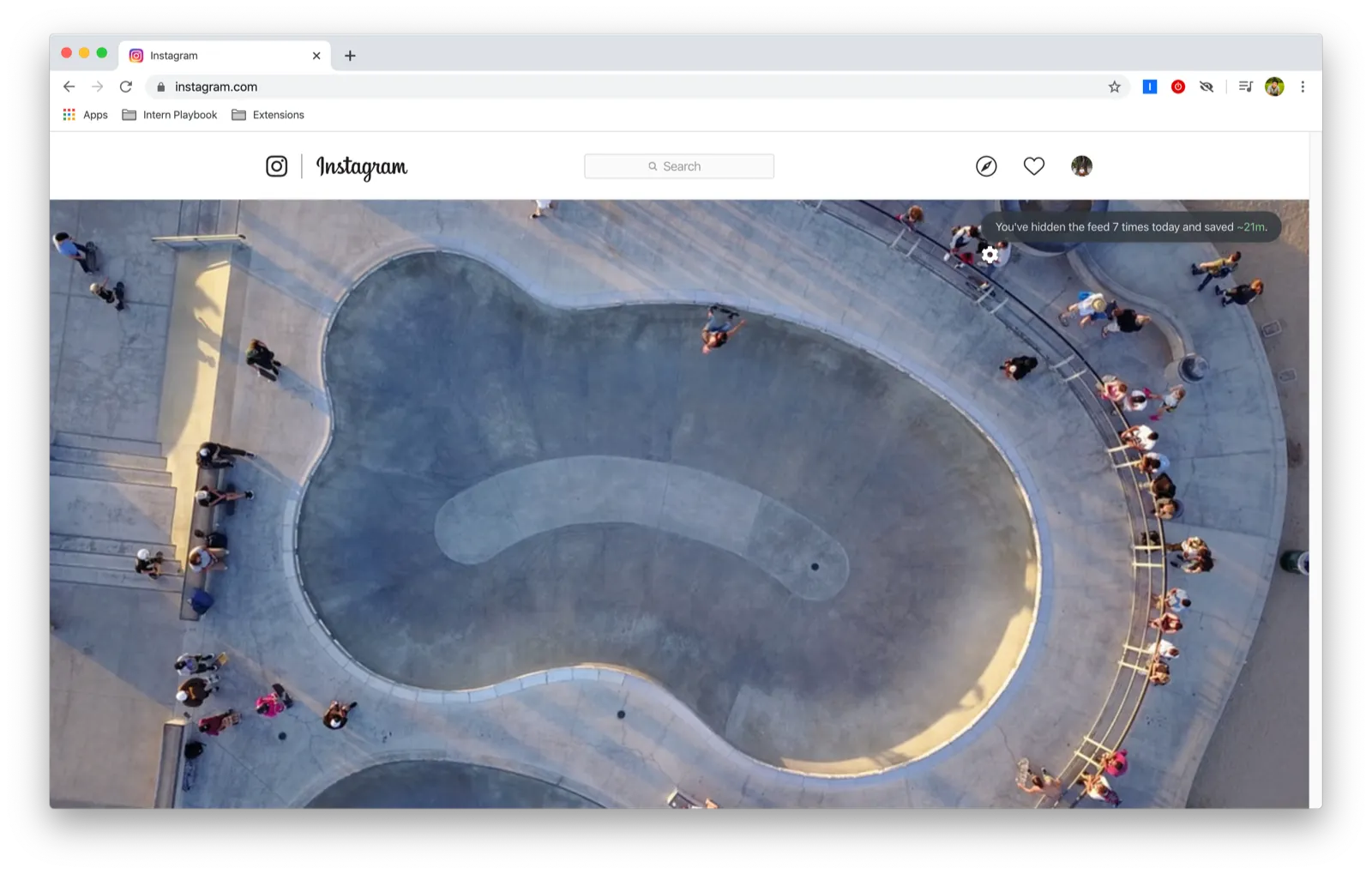
This got me wondering if there’s a better way. And there is: iframes!
iframes are inline frame elements that create a nested browsing context, which means that I can create a page that’s completely isolated from the host page. That sounds perfect for my solution. There’s just one downside: iframes are really slow. There’s even a warning on the iframe MDN page:
Because each browsing context is a complete document environment, every <iframe> in a page requires increased memory and other computing resources. While theoretically you can use as many <iframe>s as you like, check for performance problems.
I decided to go ahead and try changing Hide Feed to use iframes to see whether I could solve my conundrum.
It took a huge portion of the day, but in the end, I was able to get iframes to work and it fixed my Instagram problem. I was a happy coder.
But then I tried showing the feed and hiding it again. Here’s what the “inject directly into the page” approach looks like:
Instant.
And here’s what toggling using the iframe approach looks like:
Unbearably slow.
It’s because when the user shows the feed, I remove the feed content and add it back when they hide the feed. That’s not a problem when I’m injecting into the page, but it’s awful when I’m using an iframe because creating that nested browsing context is expensive.
One attempt I made was to keep the iframe around (instead of destroying and creating it) and moving it in the DOM tree to where it’s needed and use the display property to control the visibility. This didn’t work because moving an iframe in the DOM causes it to reload.
None of the approaches I’ve tried have worked, and I’ve spent all of today working on this. I’m at the point where I’m thinking that I might need to scrap everything and just return to the original “inject directly into page” approach with all its downsides.
Womp. Maybe I’ll wake up tomorrow with a brilliant solution but right now, I am SAD.