Day 194: Crippled by Chrome
While working on Browserflow today, I noticed this banner:
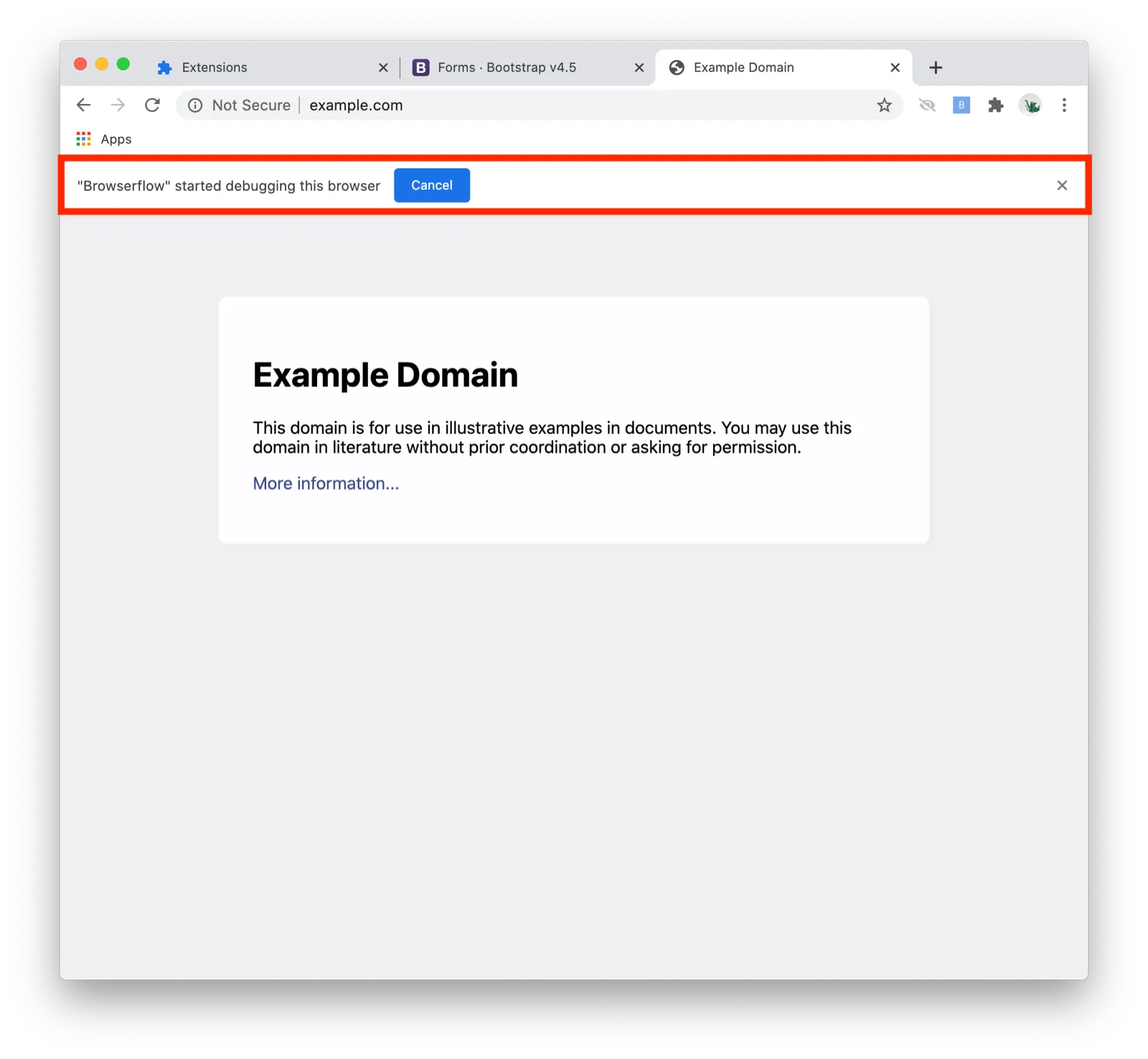
It’s not new — it normally shows up when I simulate a mouse click or a keyboard event and disappears once it’s done.
But this time, it didn’t going away.
I thought I maybe forgot to detach after simulating the user action, but no, that wasn’t the case. Even with older code that I knew to work correctly, the banner showed up and remained.
Then I realized that the wording was different: Previously, it had read ‘“Browserflow’ is debugging this browser’, not ‘“Browserflow’ started debugging this browser’.
Ah, crap. That meant only one thing: Chrome changed.
I found the bug that someone had filed for this a month ago, and my heart sank as I read the discussion.
Long story short, the Chrome team decided that it’s better for users to have the banner stick around and require the user to explicitly dismiss the banner every time the debugger API is used. The rationale is that this API is dangerous enough that it warrants showing this extra warning on every invocation.
Now, this might make sense if the debugger API were only used in infrequent scenarios like helping developers debug something in the browser. And that’s unfortunately what the Chrome extensions lead had in mind:
the debugger API should be used by developers for debugging, not as an alternative to content scripts or webRequest
[using the debugging APIs] should not be a “normal” browsing experience
Given that (a) Browserflow is targeted at non-developers and (b) it aims to make task automation part of people’s normal browsing experience, I’m clearly well outside of what the extensions lead imagined the API should be used for.
Browserflow uses the debugger API every time it simulates a user action (and if I integrated with Puppeteer like I gleefully planned just yesterday, I’d be using the debugger API all the time), so the banner shows up constantly. After this change, the banner doesn’t go away until you manually dismiss it. To make matters worse, that banner isn’t present just on the active tab being used — it shows up on every single tab in every single window in every single profile you have open.
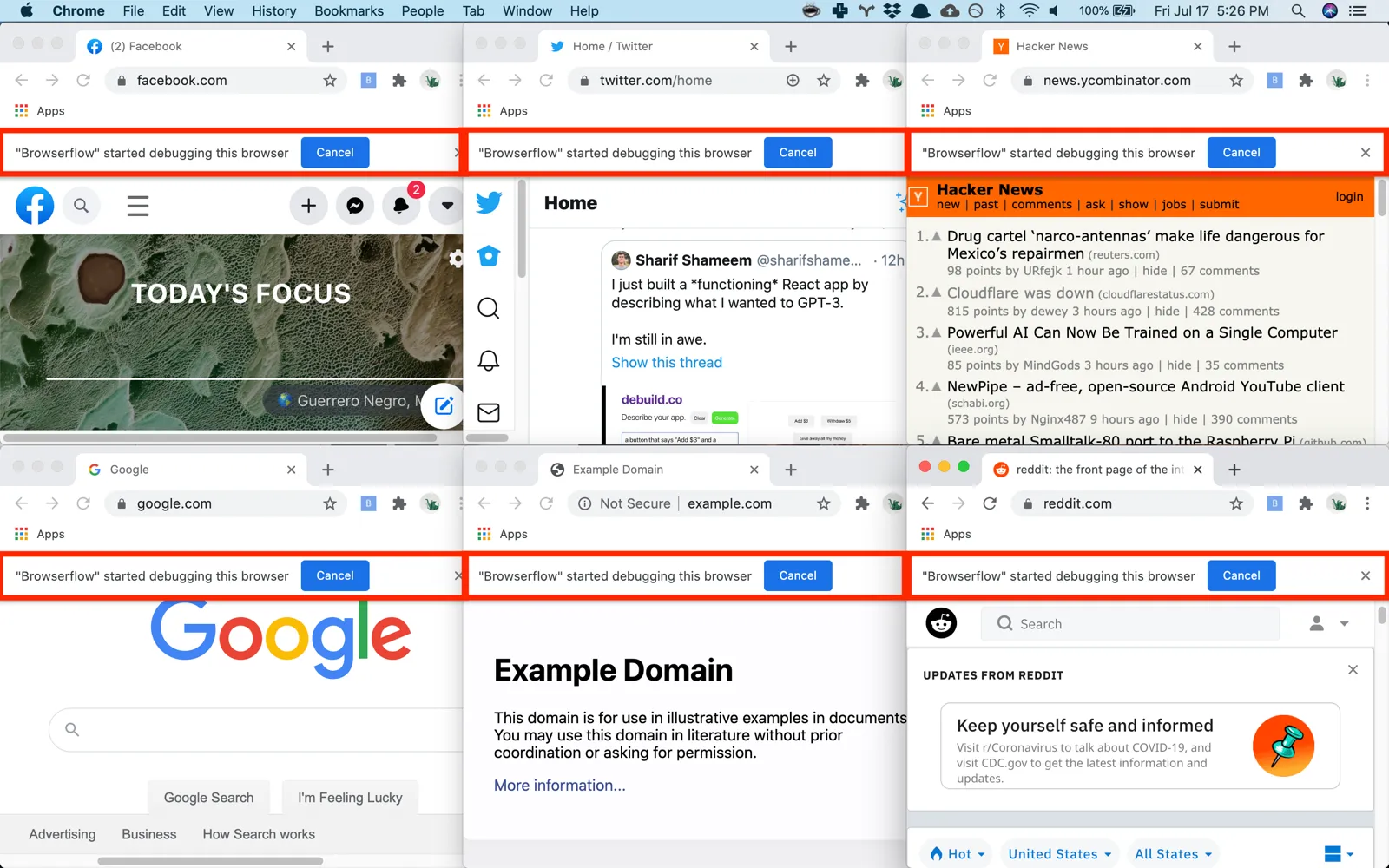
It’s incredibly annoying as a user, and this basically kills the chances of Browserflow being used for a whole category of quick and frequent automations. It only took a tiny change in Chromium to transform Browserflow into a popup generator. (This wouldn’t be nearly so bad if there were a workaround like letting users opt-out of this warning using a setting, but nope, that was removed, too.)
I understand why the Chrome team wants to introduce extra warnings like this, and I’m glad to see them focusing more on making the extensions ecosystem more secure. I’ve been writing for a while about how extension security is broken and built extensions like Intention from the ground up to protect user privacy and security. They’re clearly trying to do the right thing here. At the same time, it feels heavy-handed to not give users a way to opt-out of this behavior.
Spending hundreds of hours working on a project only to have it crippled because the few relevant Chrome engineers didn’t anticipate my use case is disheartening. I spent all of today looking into this issue and writing a post in that bug report with my take on why a more usability-friendly solution might be appropriate, and I’m hoping it will reopen the conversation.
The outcome I’m hoping for:
- The Chrome team agrees that there are legitimate uses of the debugger API where calls may be frequent and that it’s worth adopting a different solution
The outcome I need to plan for:
- The Chrome team keeps their decision and the debugger API becomes unsuitable for regular use
I have my fingers crossed for the first outcome because the status quo would not only make it incredibly annoying for users to run flows that simulate clicks and typing, but it’d make it a lot less compelling to integrate Puppeteer into the extension because Puppeteer works entirely over the debugger API.
Being a solo developer already feels like pushing a boulder up a hill, and waking up to my app suddenly becoming unusable due to changes in Chrome feels like having the ground below me turn into lava.
I’M FREAKING BUMMED OUT MAN