Day 174: Inspired
A few days ago, my housemate showed me a project a ClickDiv that her friend built that reminded her of Browserflow. Go check out the landing page and watch the demo video — I’ll wait.
Welcome back! I don’t know what your reaction was, but I was blown away. First off, the landing page is beautiful, modern, and clean. “Automate anything, anywhere on the web” is all but identical to the way that I introduced Browserflow in my demo video: “What if anyone could automate anything on the Web?” But the slickness of the landing page pales in comparison to the demo.
Having done nothing but think about and build Browserflow for the past month, I’ve become pretty familiar with some of the major challenges related to web automation. We can break it down into two categories: (1) creating the automation (2) running the automation.
Making it easy for people to create automations is hard because most people aren’t used to looking at pages the way computers do. We tend to think “click the blue button” rather than “click an element with the selector button.a38fjeif
There were many “wow” moments when watching ClickDiv’s demo. One of them was seeing the tools they provide to make it easier for people to select the information they care about:
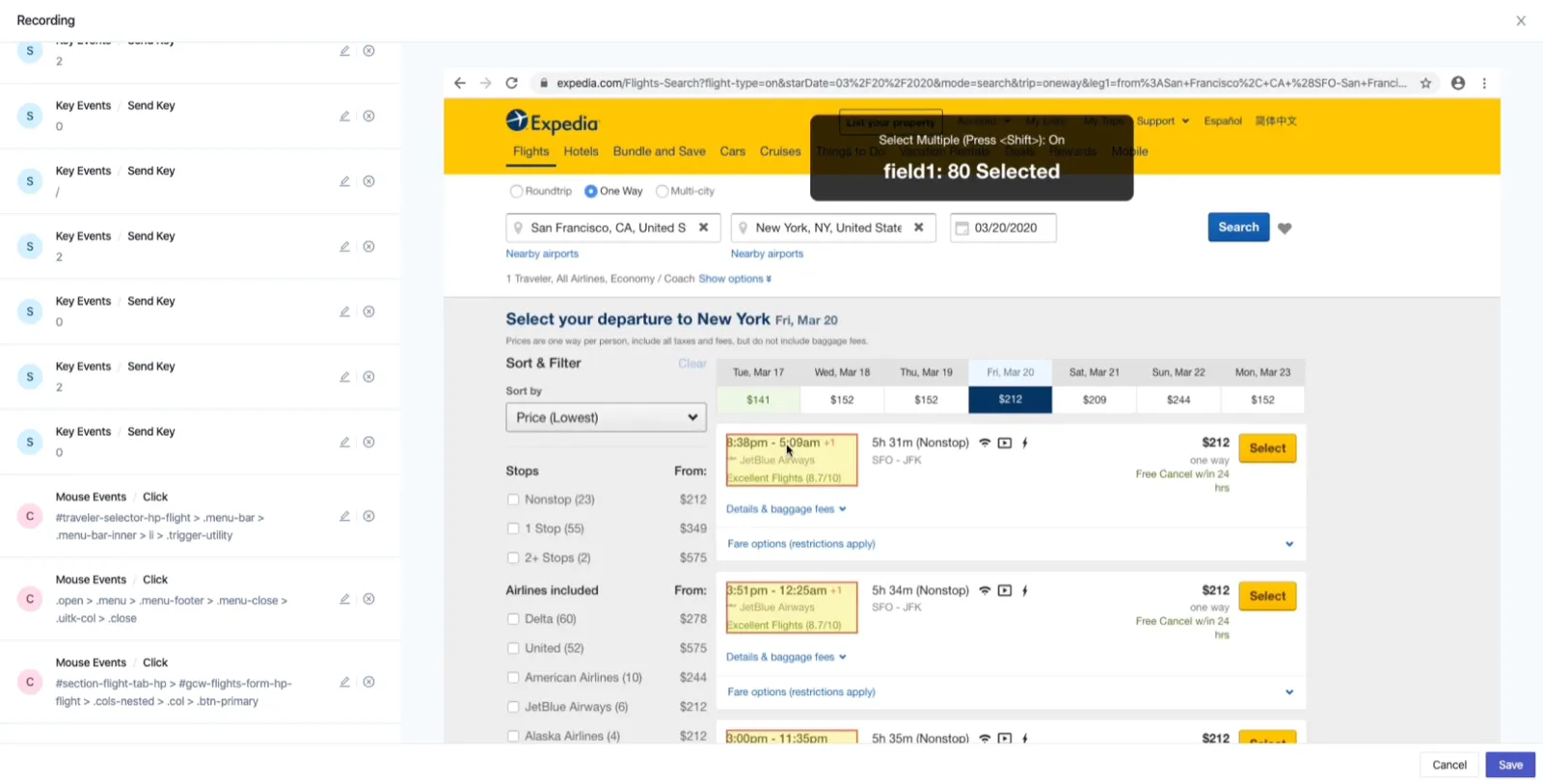
If you look at the above screenshot, you’ll see that they’re using the element that the user is hovering over in order to detect similar elements on the page. That makes it much easier for people to indicate the content they want without having to know CSS or open the inspector. While there are libraries that help you find unique selectors for a single element, there aren’t any (at least that I’ve seen) that generate a selector for an element and other similar elements. If I’m correct in guessing that it’s custom built, it means that they’ve put a lot of thought and care into providing an excellent user experience.
Another “wow” moment was when I realized that they didn’t require users to install an app or extension locally to record actions — instead, they embedded a browser’s visual output directly in their website:
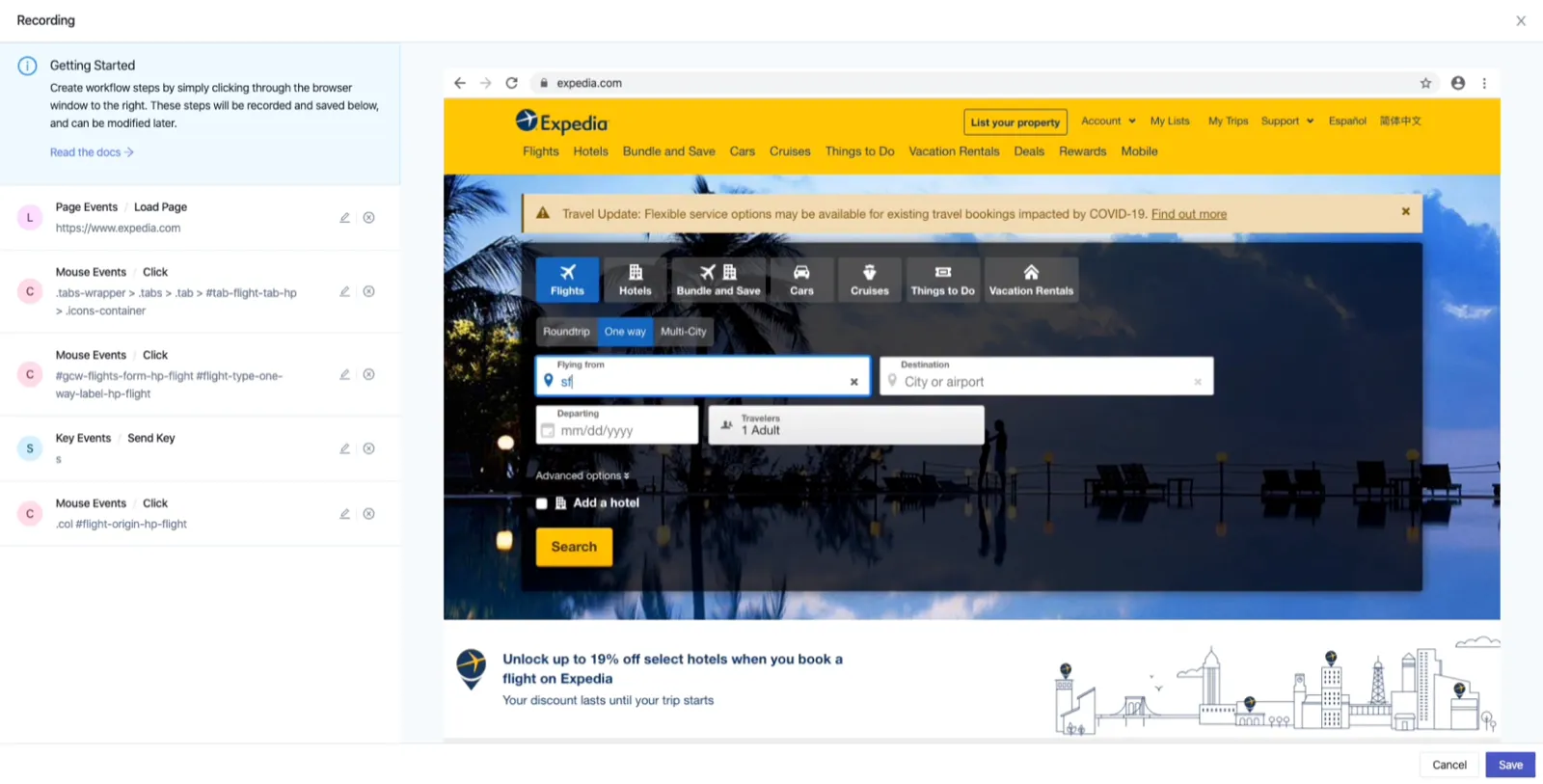
This was an idea that I had thought about before, but seeing a working implementation was eye-opening. The reason I had gone with building an extension was because I wanted people to be able to visually interact with sites like they normally do. But this approach — running a headless browser on a server and streaming it to the client — accomplishes that without having to install anything.
And better yet, this makes it much easier to accomplish the second major challenge of web automation: running the automations.
The upside of storing and executing automations locally in your browser is that it makes it much easier to run the automations. For example, I took the screenshots above using Browserflow by creating a flow in about 30 seconds. It was easy because I already have a tab with the video open so I don’t need to have Browserflow do things like go to a particular URL, click on the button to open the video, click the play button, wait X seconds, and then take a screenshot. I can just have it take a screenshot of the current frame of the video and copy it to my clipboard when I press a keyboard shortcut.
While this is great, locally run automations suffer from a major limitation: You can’t run them when your computer is off. This is where headless browsers shine because you can run them on servers and execute automations like checking your inbox for a particular email every 15 minutes, etc. all day and all night long.
My master plan for Browserflow has two stages:
- Make it really easy to create flows locally
- Make it really easy to export those flows so they can run in the cloud
Seeing ClickDiv made me realize that you can bundle these stages into one if you move the recording to the cloud. I still plan to launch as an extension because of the reduced barrier to creating and running flows, but I know that creating flows directly in the cloud is an option for the more long-standing scheduled flows.
This post is getting long, but I actually didn’t write this to talk about browser automation or even my master plan. When I was telling the housemate who showed me ClickDiv how incredible it was, she looked at me sheepishly and said, “I hope this doesn’t discourage you, but he built it with his friend in about two weeks.”
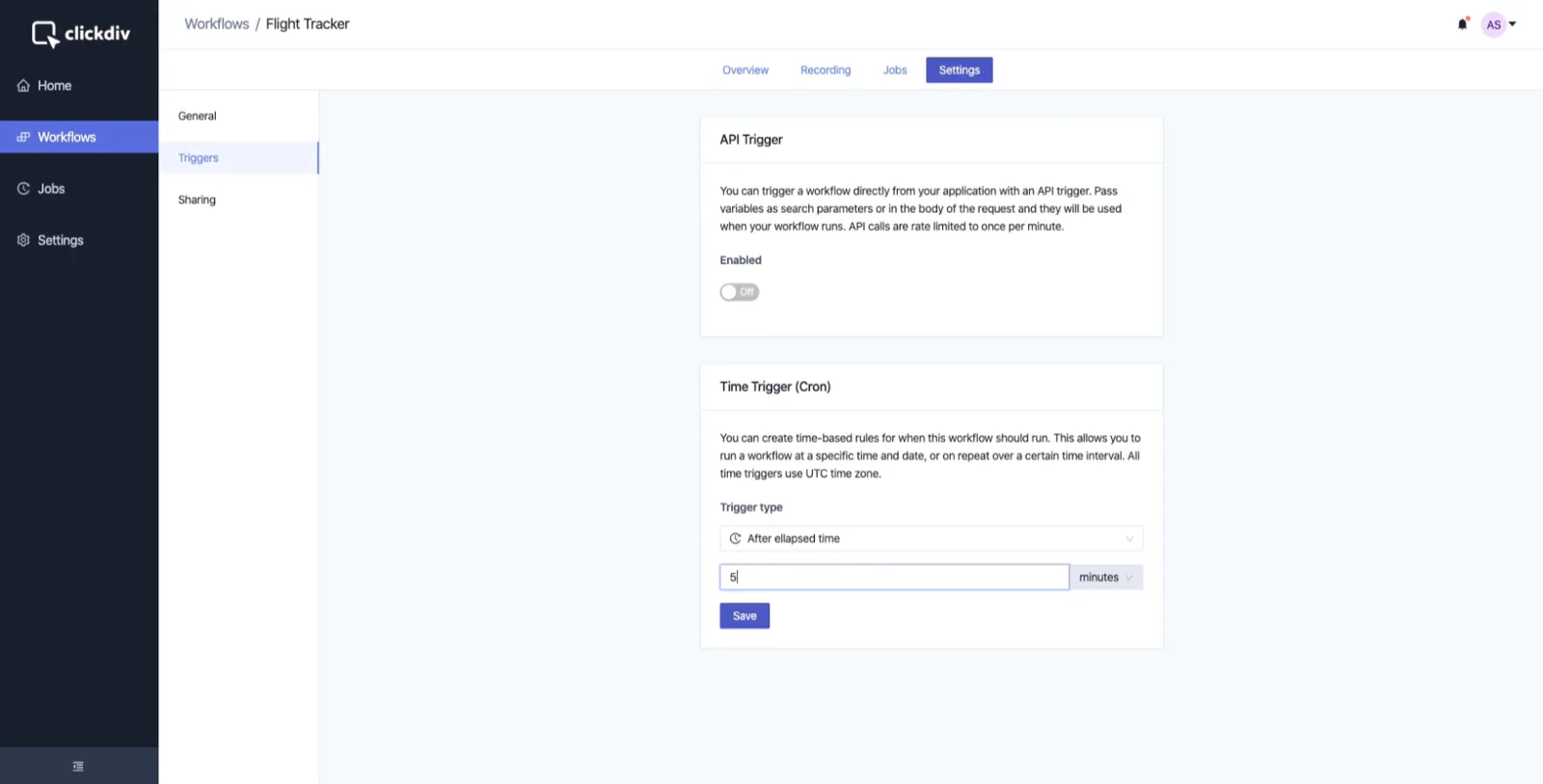
Two weeks!!! That’s absolutely nuts. I still have a hard time believing it and there’s a part of me that suspects that maybe they had the core bits built out in two weeks… but all of this? I mean, they have support for API triggers for crying out loud!
Later on that night, another housemate asked me if I felt bummed out after seeing ClickDiv and how well it was executed. That’s what this post is about. Strangely enough, I didn’t feel anxious, jealous, or fearful seeing their work — I was (and am) just straight up inspired. When I see people create amazing things, it makes me want to grow and work toward improving my skills. I’m not sure when this shift happened, but I find it much easier these days to root for others and celebrate their successes, even if I don’t know them. My general attitude feels a lot less competitive and less based on scarcity. Of course, this doesn’t mean that I never feel adversarial, jealous, etc. — but I’m digging the general movement toward less ego and I’d like to cultivate it further.
Another source of inspiration I stumbled on recently: There’s a service called browserless that helps people manage and run headless browsers in the cloud, and they have a sick page where you can test out their service: https://chrome.browserless.io/
I mean this thing is pretty much magic. What’s happening here is that you can write code to drive a browser which is running on a remote server. You can even interact with the page and use Chromium DevTools on it! 🤯
Yes, much of this magic is puppeteer and Chromium DevTools at work, but it’s still absolutely incredible that this is all put together by one guy named Joel Griffith as his part-time side project. Man, there are so many amazing people out there and so many things to learn!