Day 9: Designing a Paid Plan
I want to systematically think through the different ways that I can create a paid plan for Hide Feed with the goal of having it be a source of recurring revenue. Why recurring?
- It’s a much more reliable source of income than one-time payments and will allow me to focus on developing great tools without thinking (as much?) about my sales every month
- Hide Feed will require continuous maintenance and development (fixing breakages that occur when websites inevitably change their code, adding new features/sites, etc.) and a subscription model aligns my interests with the users in that I’ll be much more motivated to fix bugs and improve the extension in a prompt and ongoing manner
I’ll save thinking about pricing for a future post — this post will focus solely on how to create a compelling set of plans to make Hide Feed a sustainable business.
Paid Plan Only
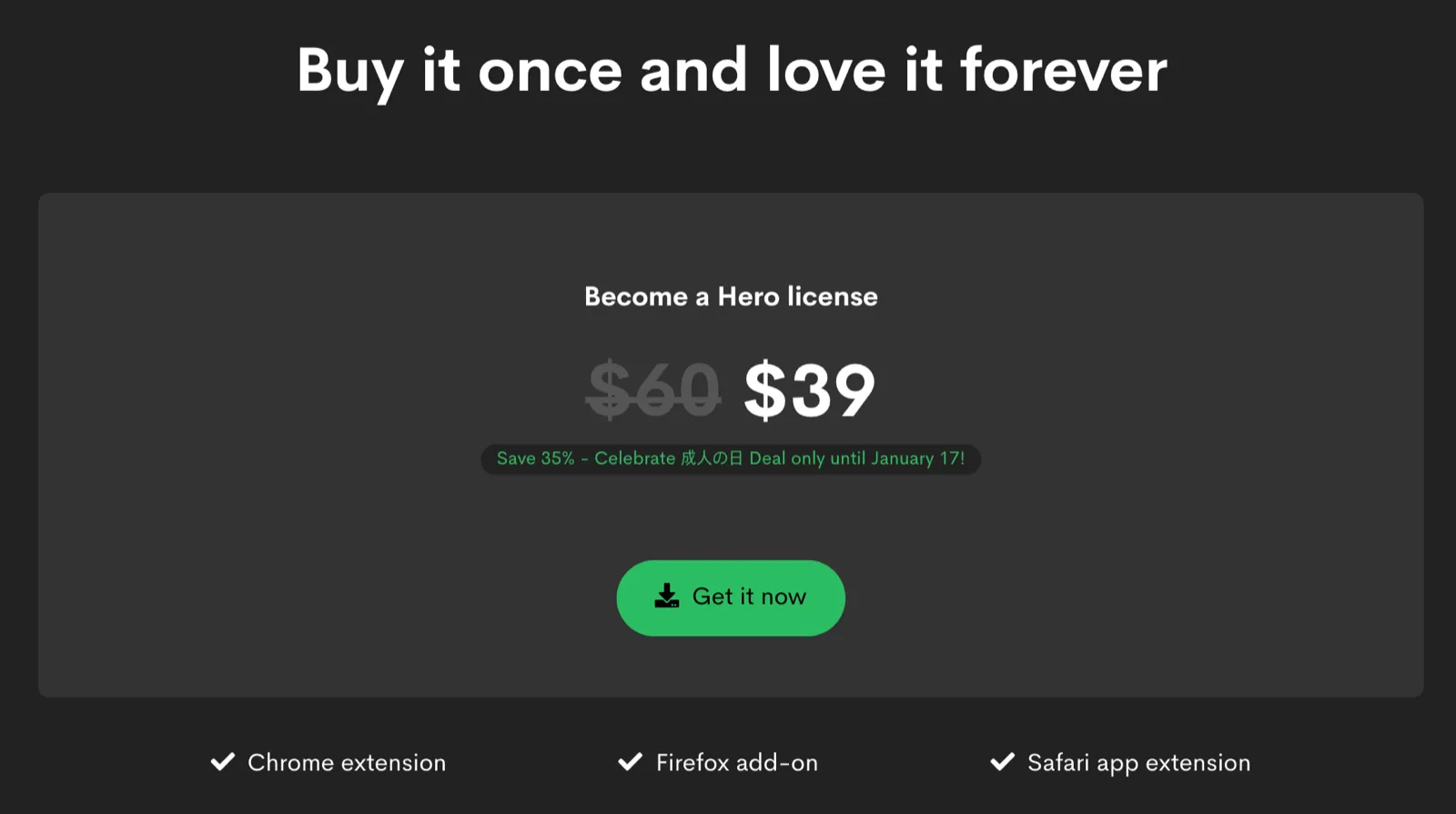
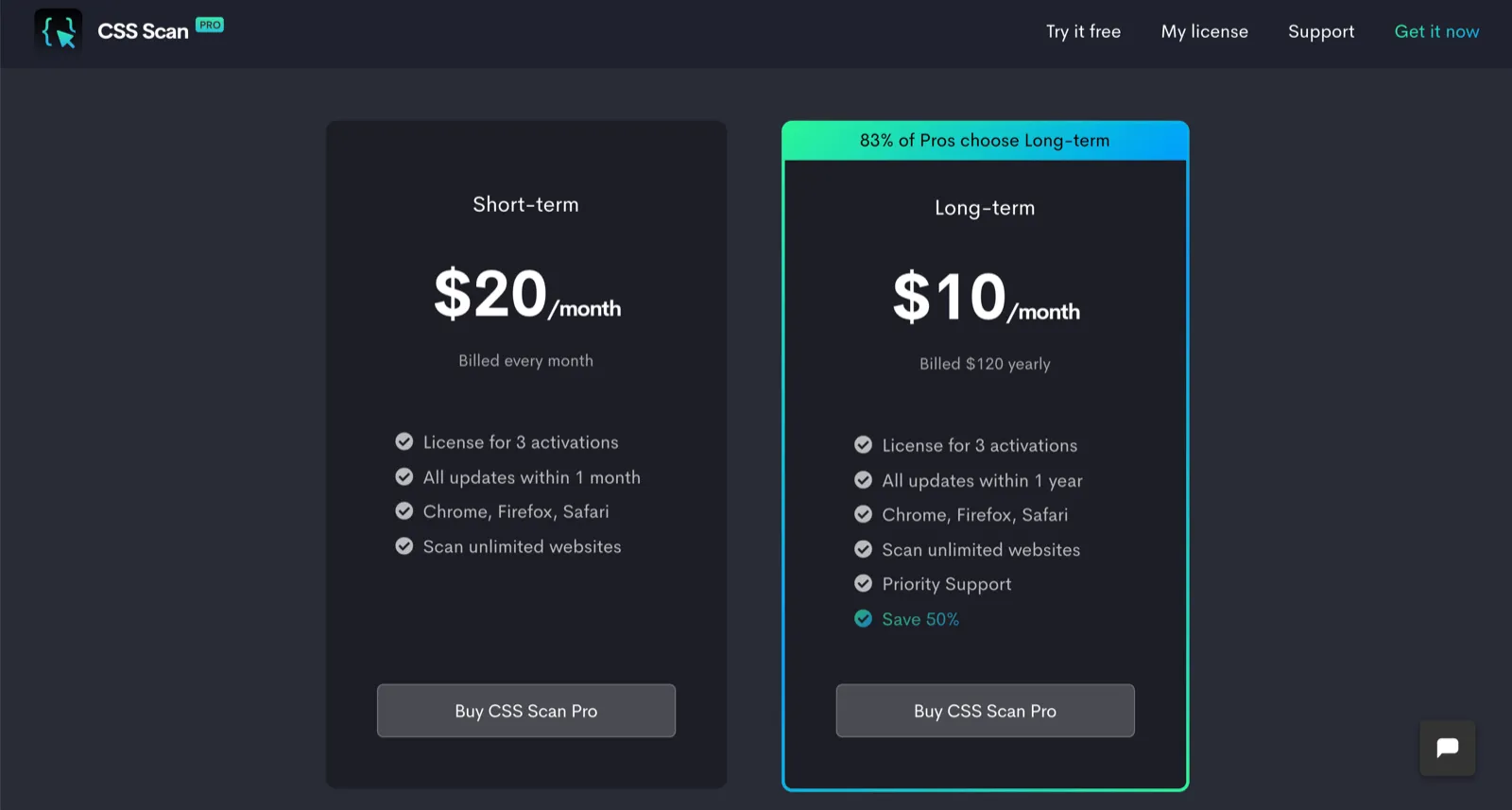
The simplest approach is to only have a paid plan. The extensions that pull this off well are those that let you try out the functionality directly on the marketing site.
Examples (expand for screenshots):
[CSS Scan](https://getcssscan.com/) and [CSS Scan Pro](https://cssscanpro.com/)
[Spider Pro](https://tryspider.com/)
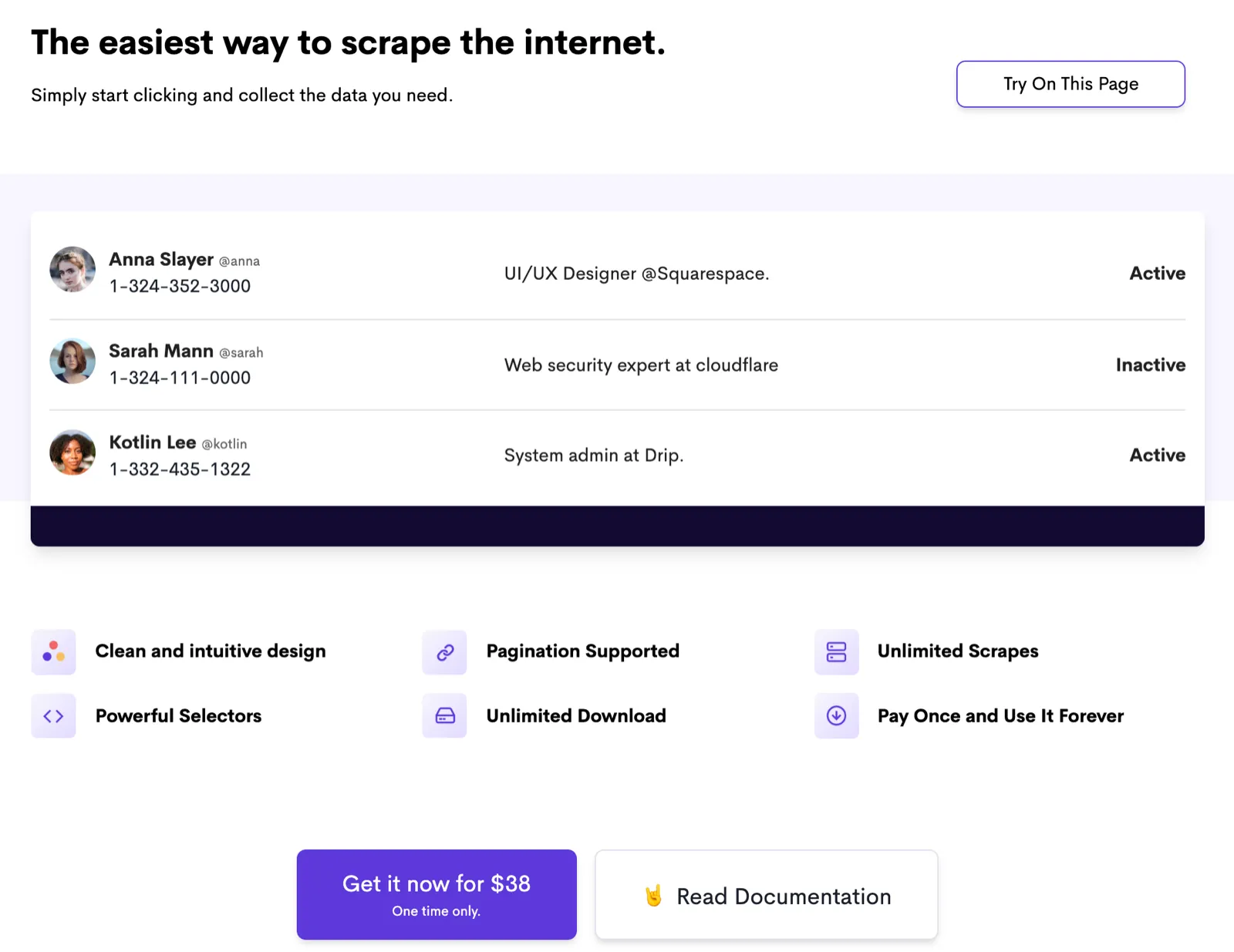
I don’t think this would work for Hide Feed because the value of Hide Feed becomes compelling only after you’ve used it for a while. Reading about how it’ll hide feeds or even seeing screenshots doesn’t communicate the benefit as much as seeing for yourself how much less distracted you are because your personalized feeds are now hidden. I want people to be able to try Hide Feed before committing to buying it.
Free Trial
One way to do that is to have a paid plan with a temporary free trial. Once the trial is up, users would lose functionality until they subscribe to a paid plan.
Examples:
- There are apps/services that do this (e.g. Waking Up) but I don’t know of any extensions that use this model
While this satisfies the criteria to provide a way to have people try Hide Feed, having only a paid plan with a temporary free trial will scare off people who initially don’t have any intention to pay. When they see that they’ll only be able to use it for X days before their trial is up, a lot of people just won’t bother trying it out.
Feature-based Plans
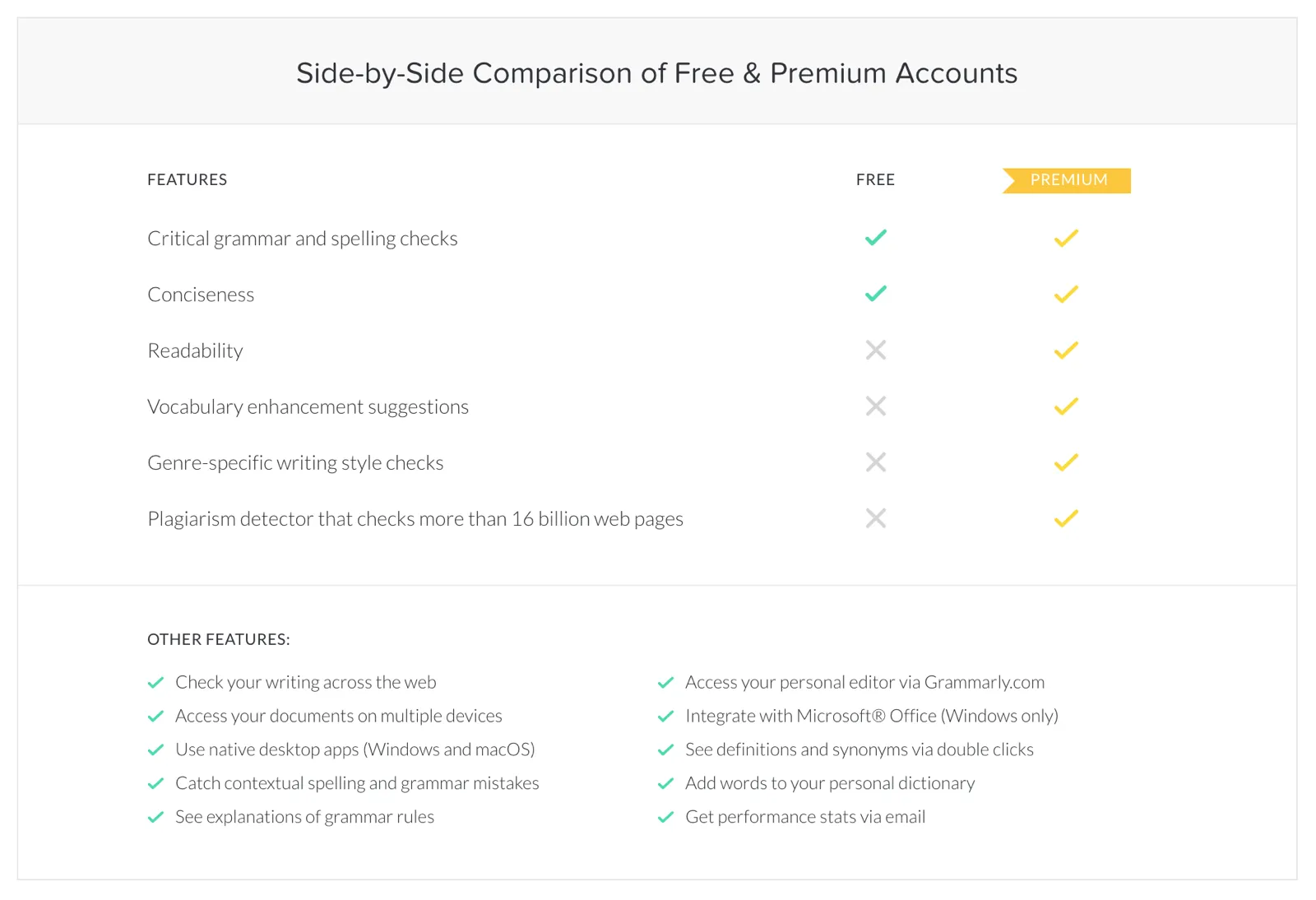
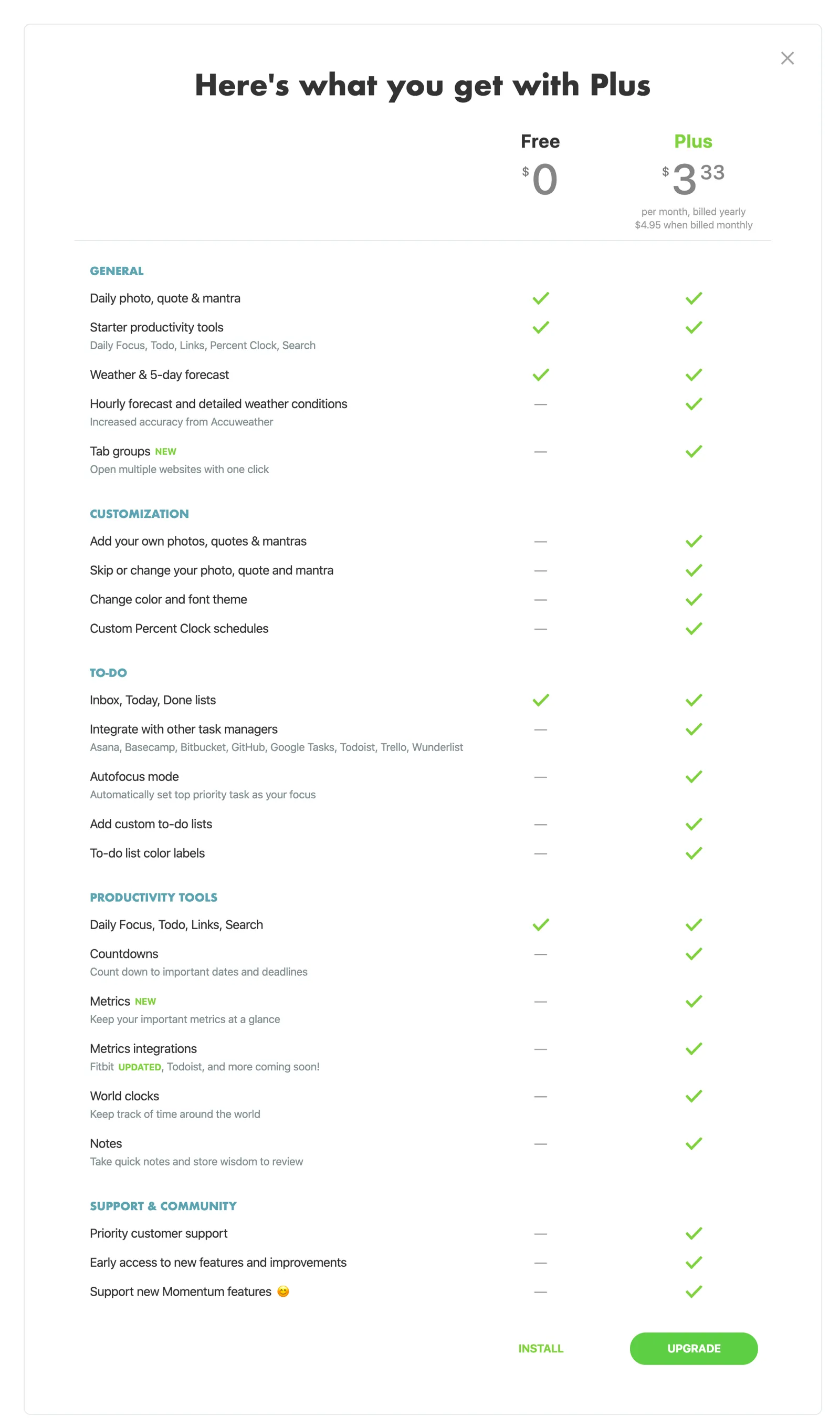
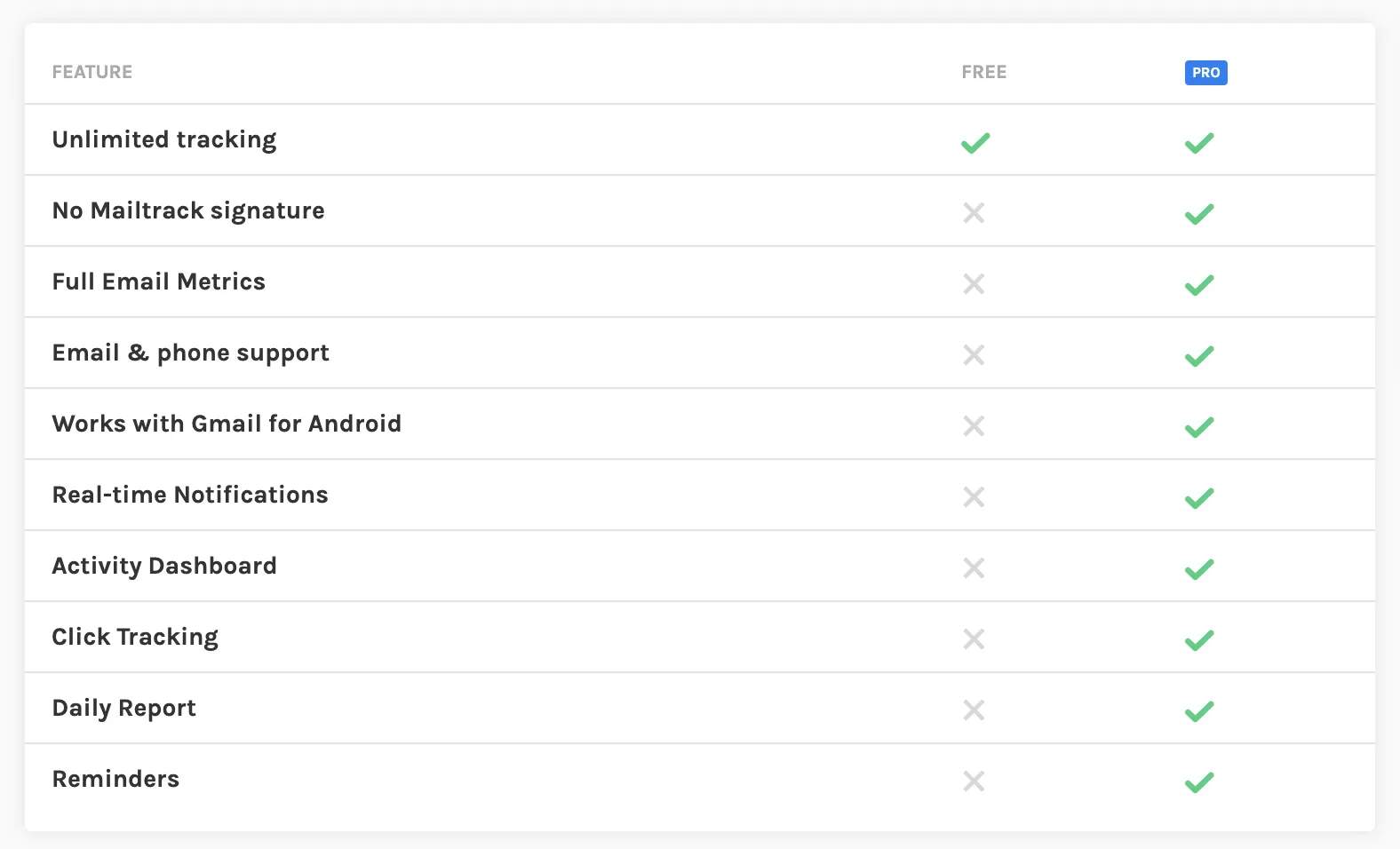
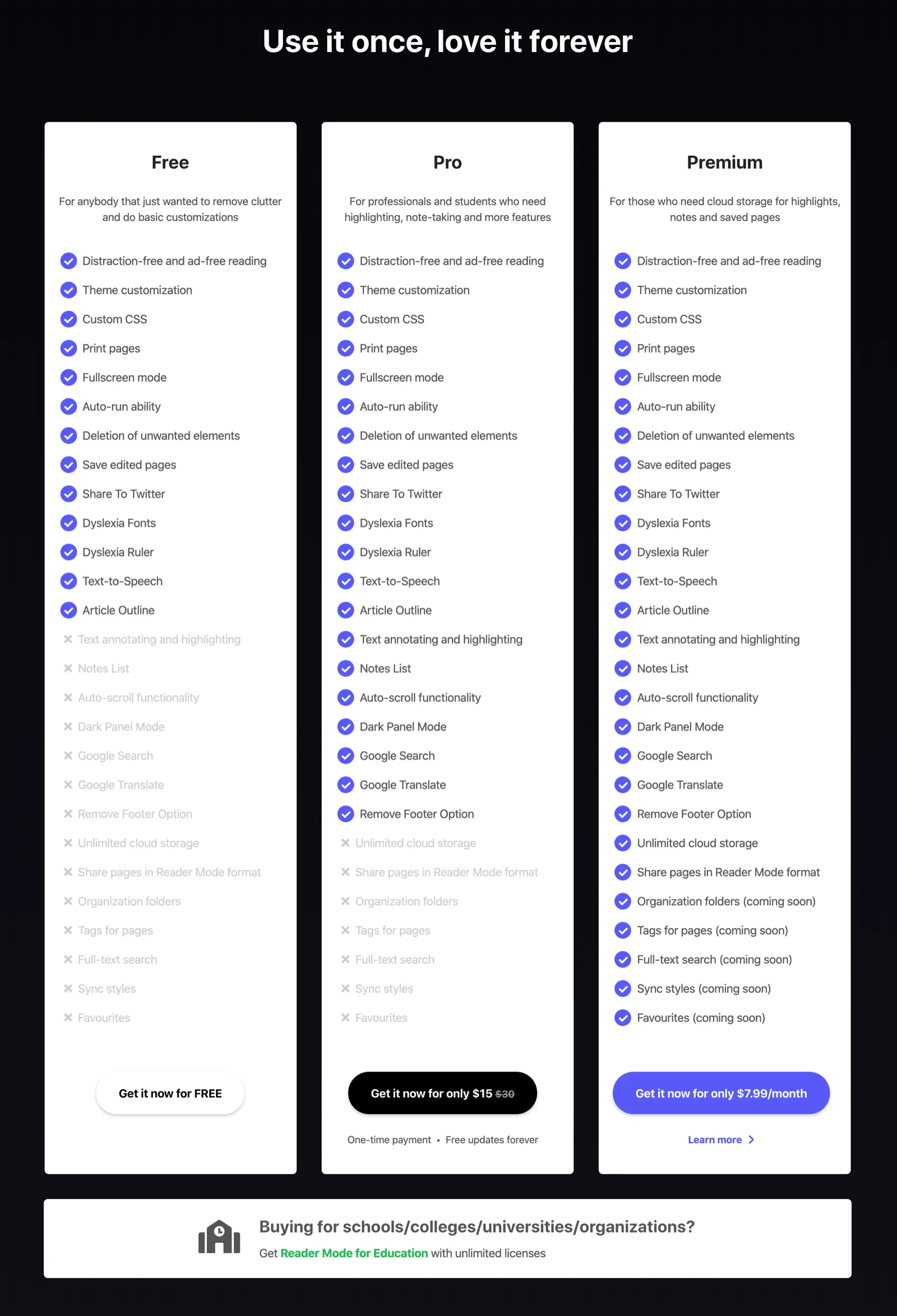
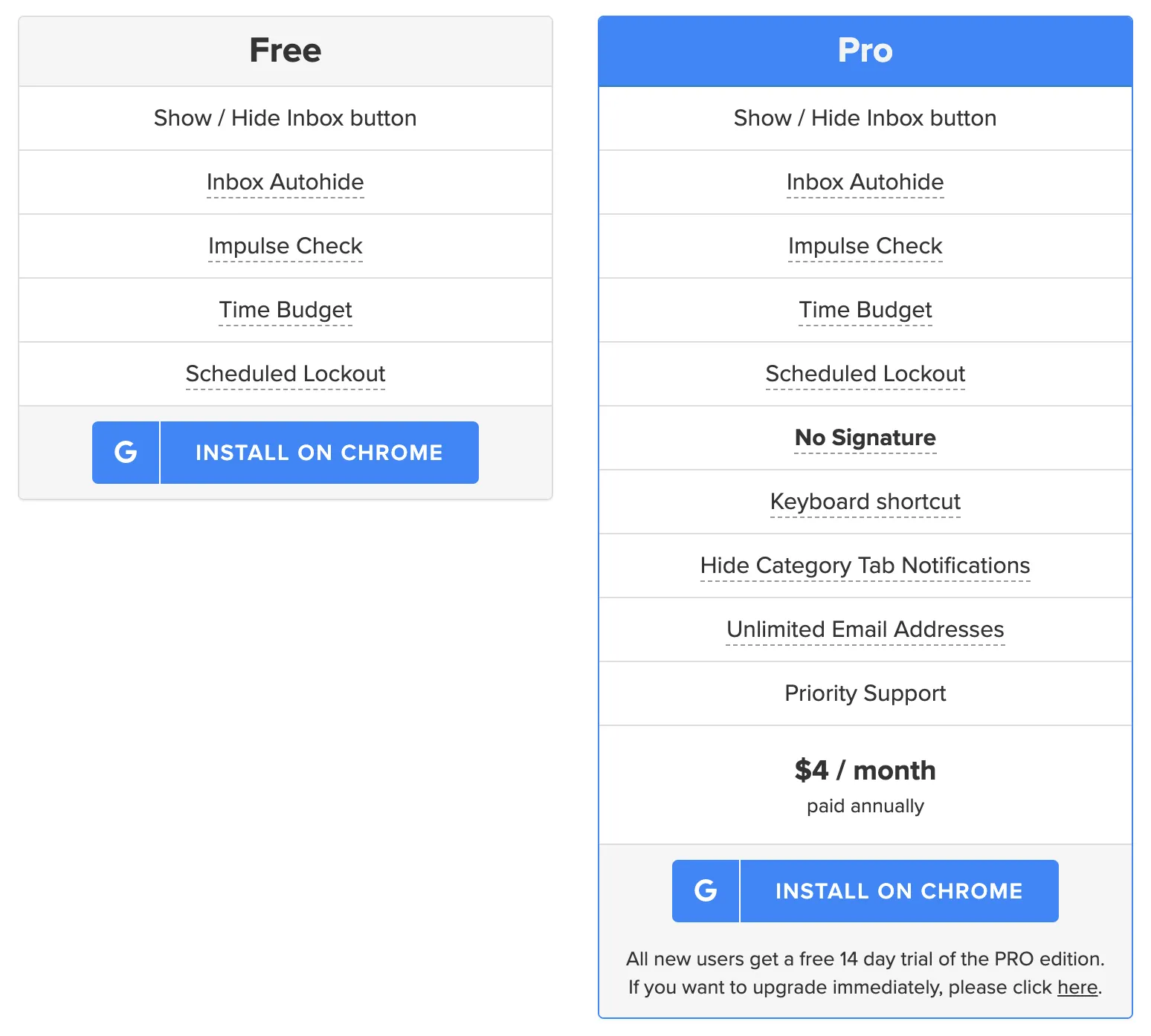
Most extensions I’ve come across use a feature-based model. They offer a free tier that provides a limited set of functionality and one or more premium plans that provide more advanced functionality. This approach is great because it lets people try it for free (without concern for having to pay like the free trial model above) and upgrade when they’ve seen the value of it and decide they’d like more functionality.
Examples (expand for screenshots):
[Grammarly](https://www.grammarly.com/)
[Momentum](https://momentumdash.com/)
[Mailtrack](https://mailtrack.io/en/)
[Reader Mode](https://readermode.io/)
[Inbox When Ready](https://inboxwhenready.org/)
[Loom](https://www.loom.com/)
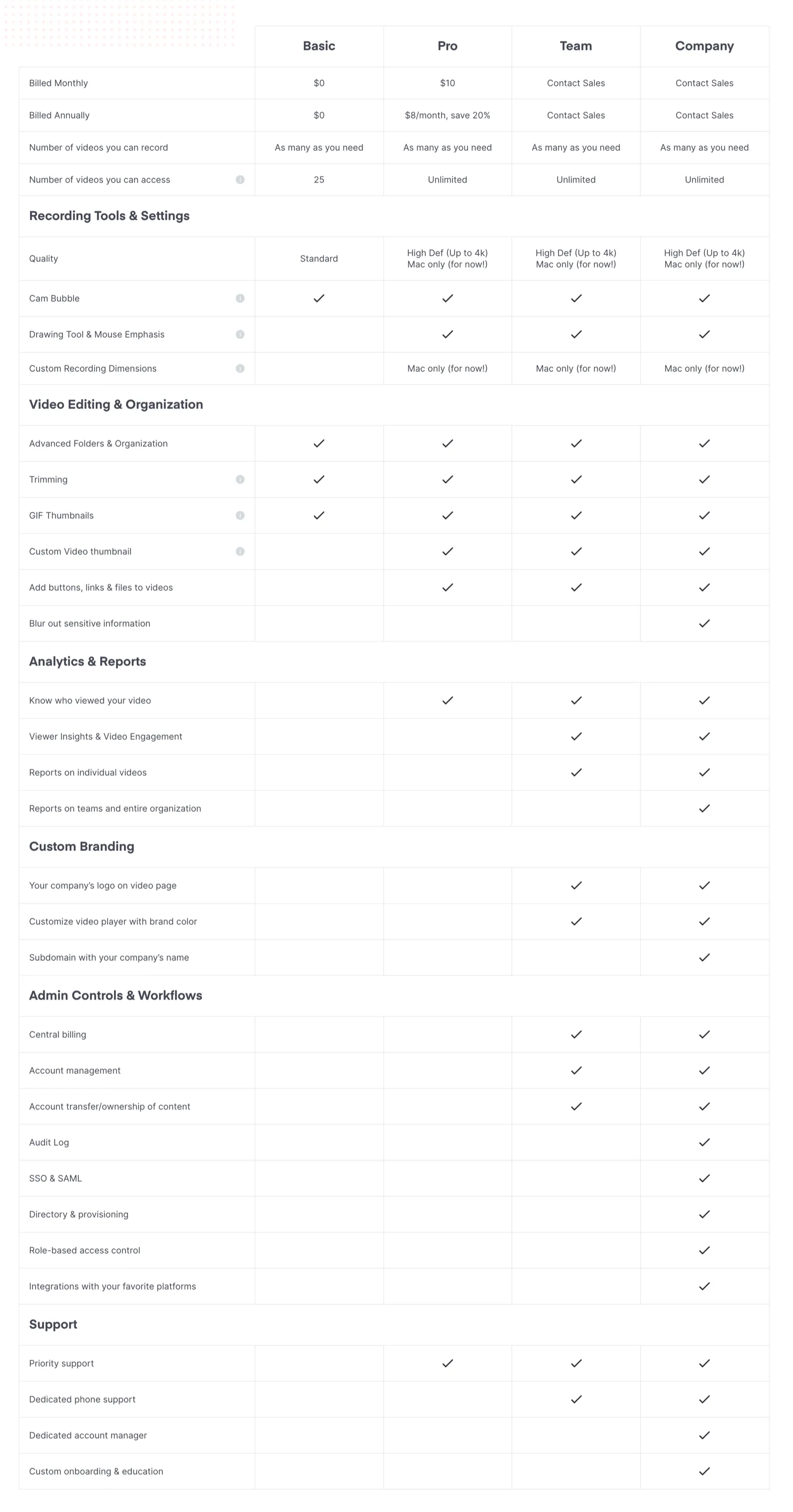
Using a feature-based model was my initial plan for Hide Feed, with the addition of providing a temporary trial of the premium plan for all users so that they can experience the full benefits of the extension before they’re eventually downgraded to the free plan.
But when I tried to come up with the plans, I struggled to figure out which features should be in the free plan and which ones should be reserved for the paid plan. I needed to find a tradeoff that would make the free plan useful enough for people to want (otherwise, the free plan would basically be useless and this would be equivalent to the free trial model) while also making the upgrade attractive enough to pay for.
At first, I thought that I’d just reserve the functionality that shows the placeholder image that replaces the feed for the paid plan. I wasn’t sure how many people would care enough about having beautiful/custom images instead of a blank space where their feed usually is, but I thought maybe some number of people would be into that.
Then it occurred to me that I can also split which sites are supported based on the plan. Here’s what I came up with:
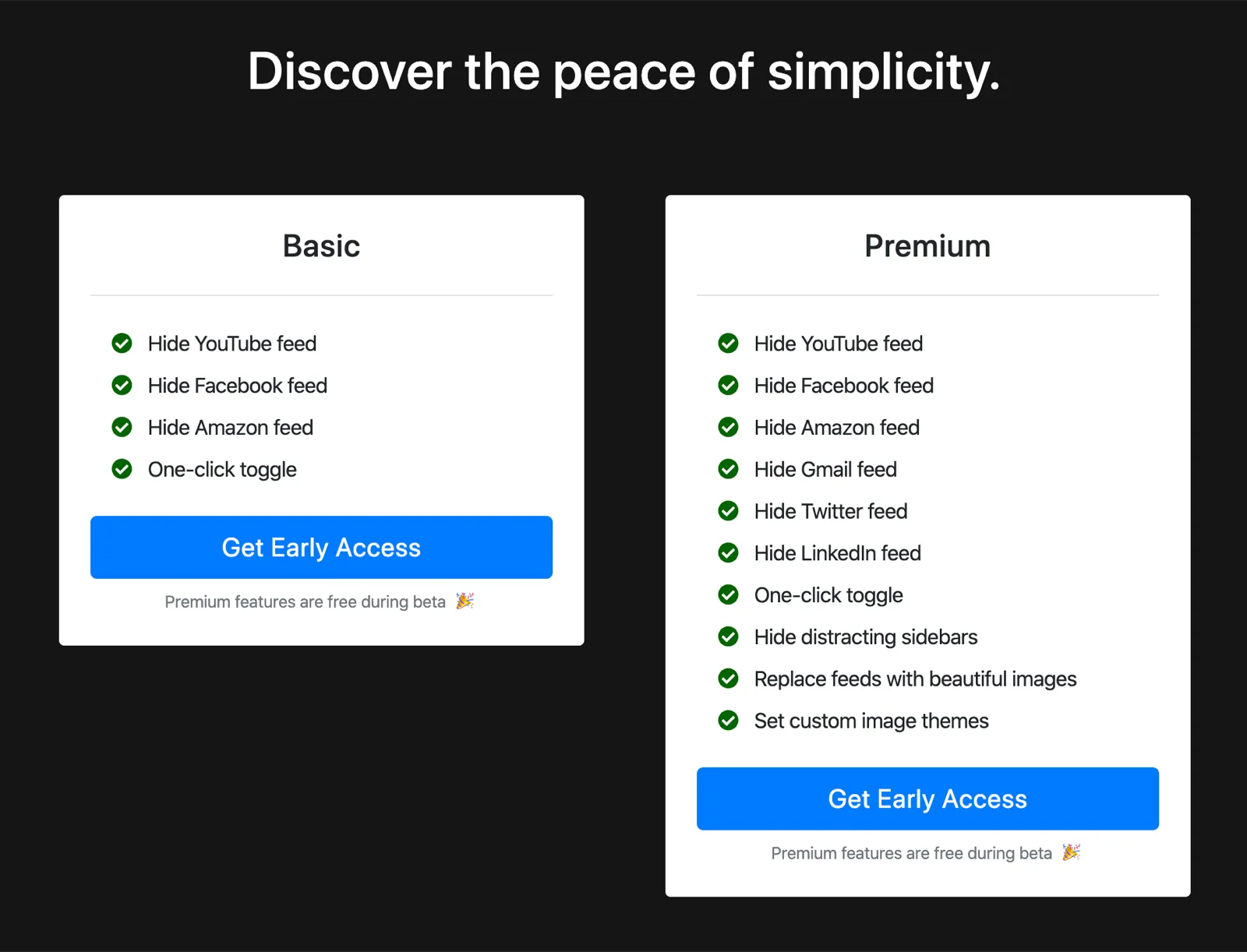
I split the sites so that the ones that are geared more towards productivity/professional use (Gmail, LinkedIn, Twitter) would be reserved for the paid plan. I don’t think this is a bad model, but it has the problem that the paid plan probably wouldn’t be appealing to the majority of users. I’m assuming that the majority of users would care mostly about hiding their YouTube and Facebook feeds and not as much about the other sites. One option is to move one of those sites over to the paid plan, but I’m concerned that this would make the free plan not attractive enough to be worth installing for a lot of people (e.g. if I moved YouTube over to the paid plan, people who use YouTube but not Facebook would probably not bother trying it out). A way to get around that is to let the user select the site they’d like to hide feeds on and if they want to add support for additional sites, they can upgrade to the paid plan:
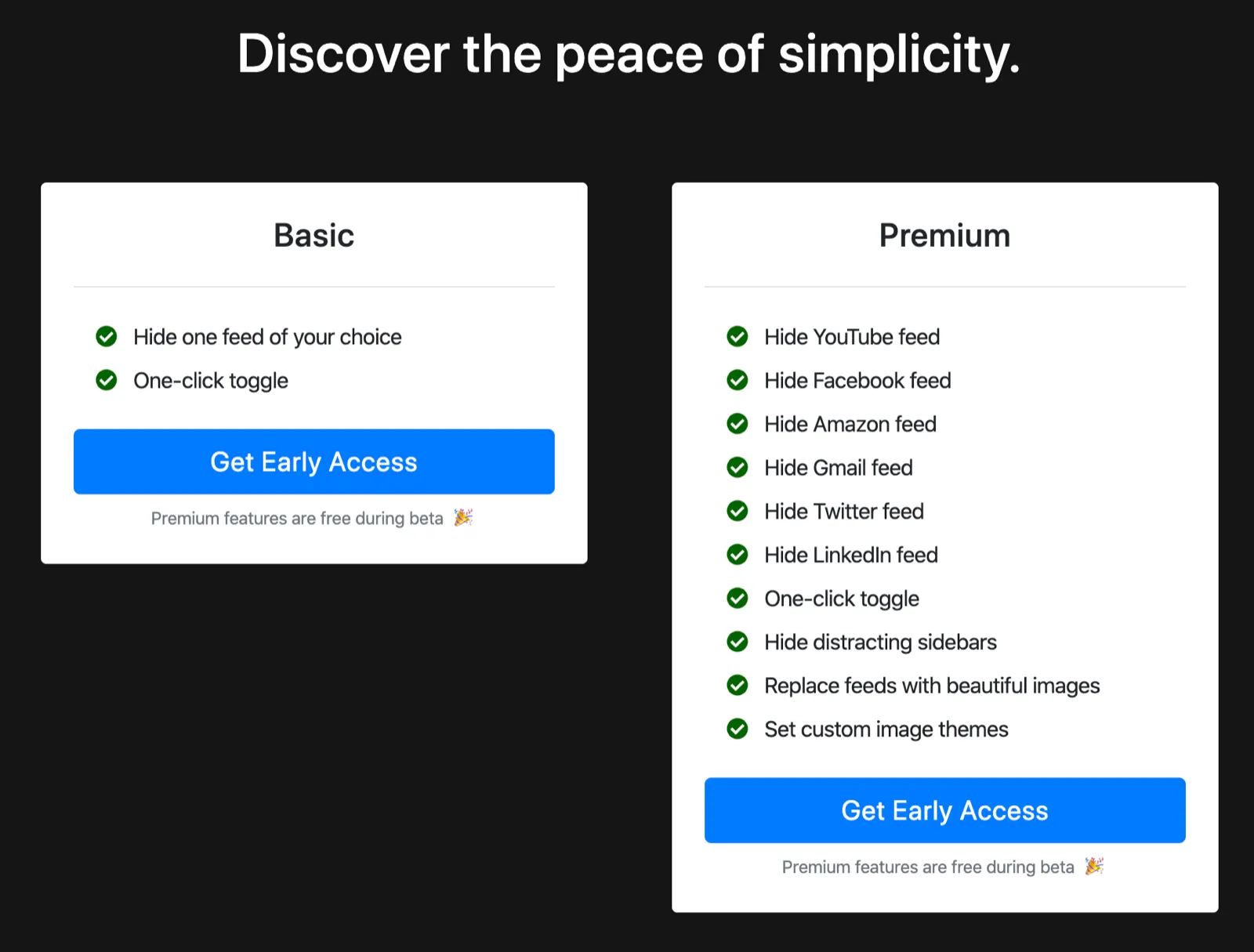
This seems like the best approach for using a feature-based model for Hide Feed, but it still has the downside that users who are power users of a single site have no incentive to upgrade (you know, besides the cool image thing).
Usage-based Plans
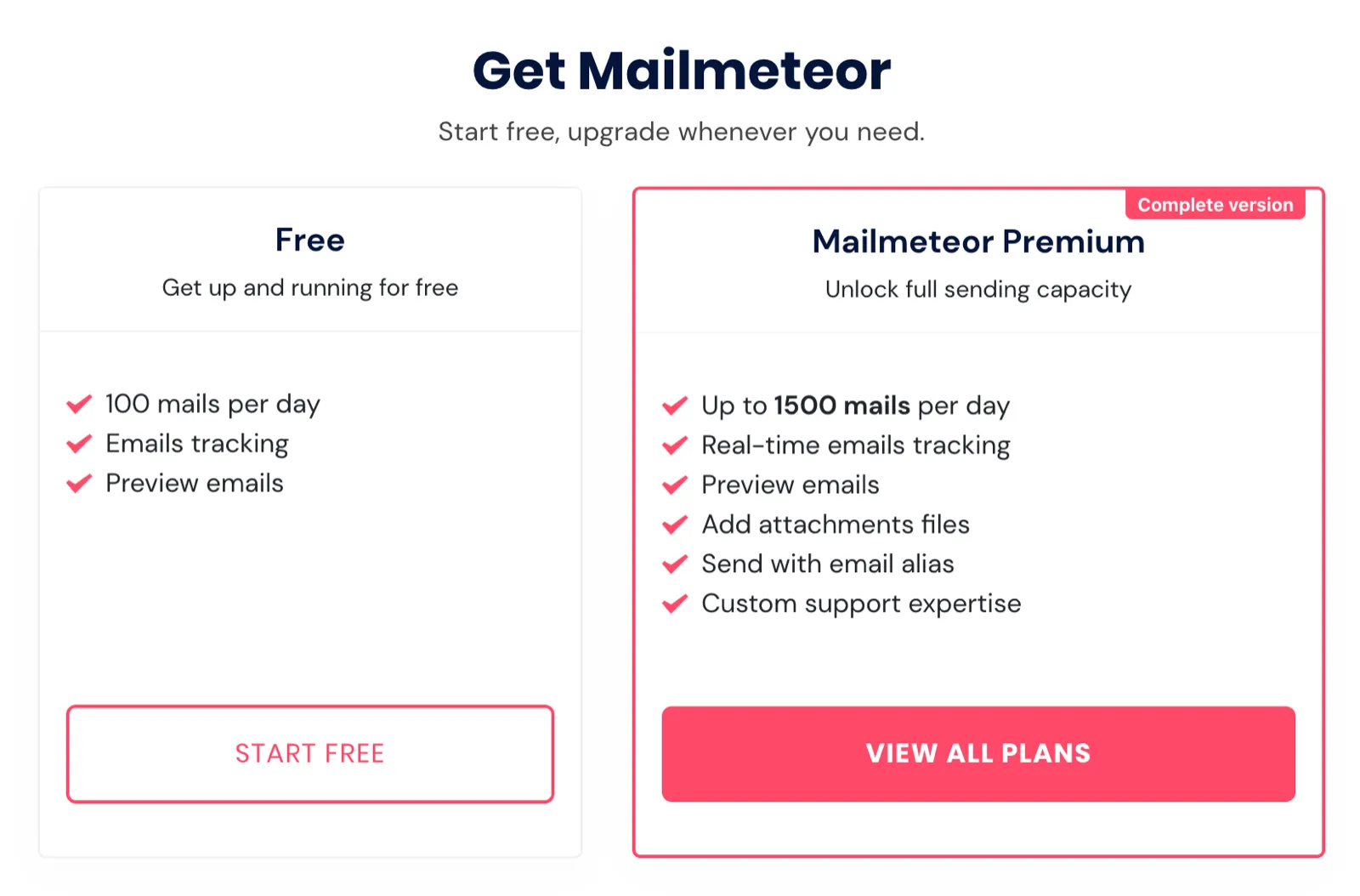
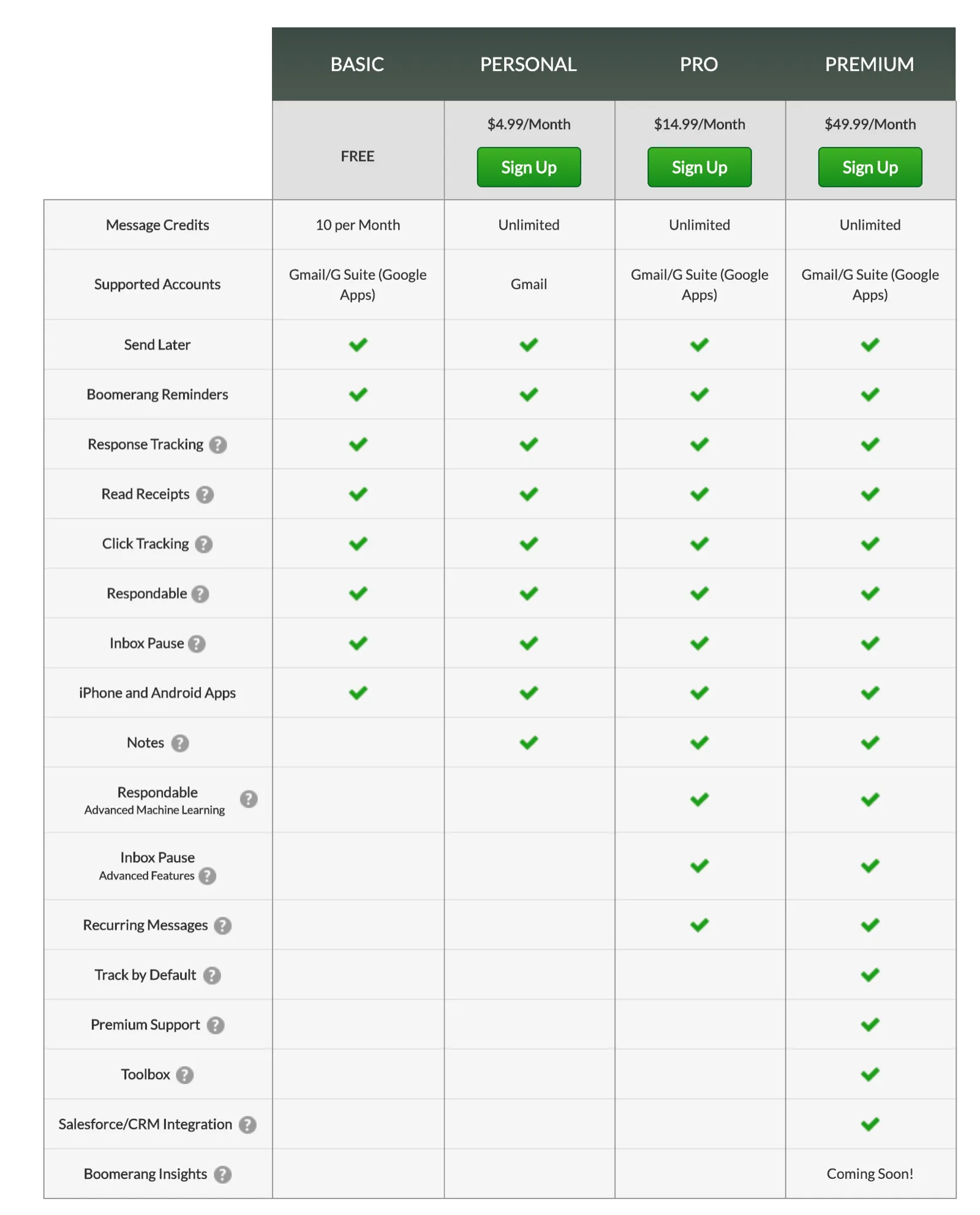
What if the main benefit offered by the paid plan wasn’t having more features but being able to use the extension more? This model limits the number of uses for a free plan but lifts the usage restriction (and often provides additional features) on the paid plan.
Examples (expand for screenshots):
[Mailmeteor](https://mailmeteor.com/)
[Boomerang](https://www.boomeranggmail.com/)
[Checkbot](https://www.checkbot.io/)
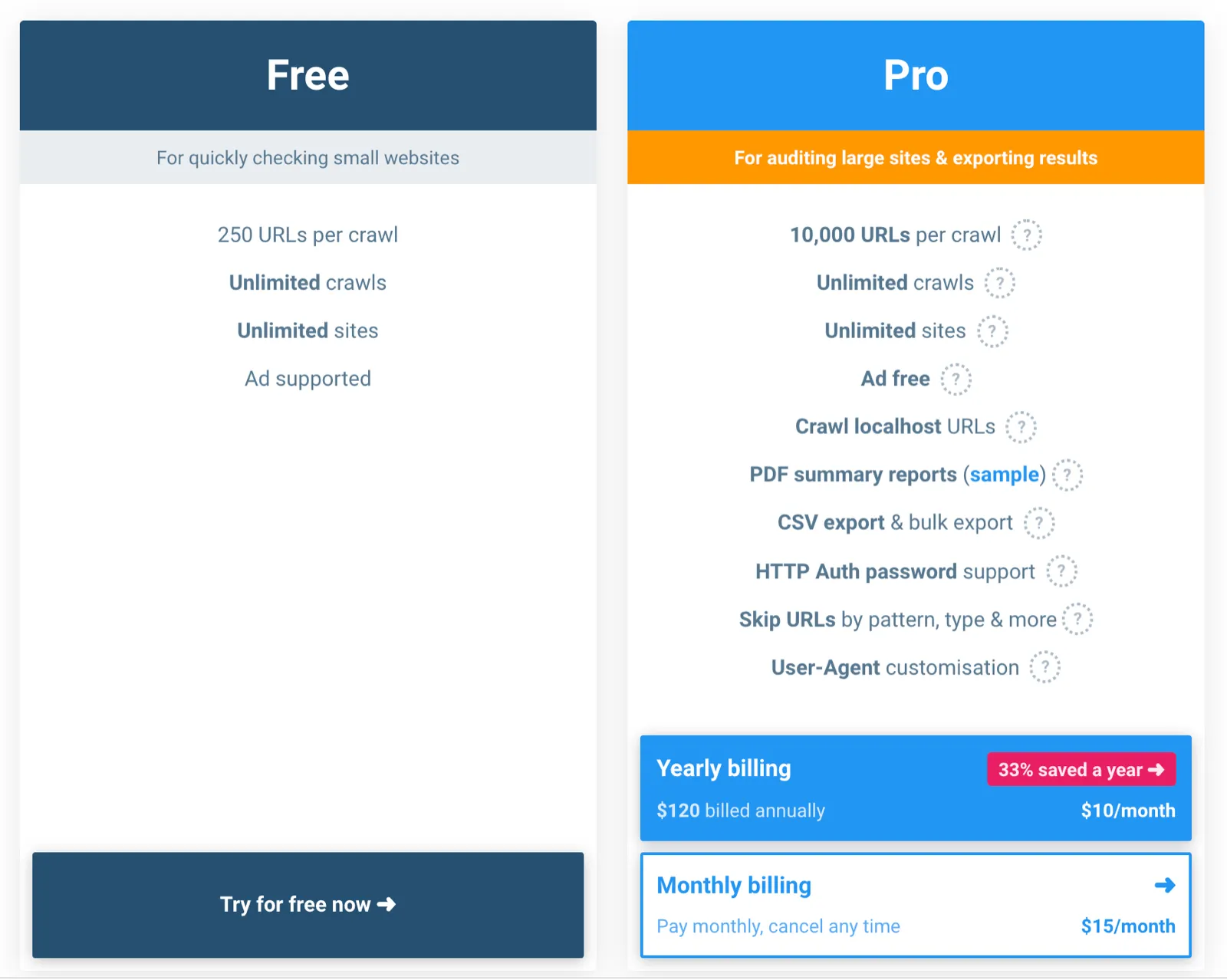
I think this model makes the most sense for Hide Feed because it does the best job of makes the paid plan more valuable the more someone uses Hide Feed. Regardless of which sites they’re hiding feeds on, they’d benefit from upgrading if they’re using the site (and hiding feeds) a lot.
This also lets people who find Hide Feed valuable but don’t use it all the time get all the functionality for free. For example, imagine someone who doesn’t want to get distracted by their feeds but only visits Gmail and Twitter a few times a day. Under the feature-based model, they’d need to upgrade to use Hide Feed for both sites, but improving their browsing experience just a few times might not seem worth paying for. I think where Hide Feed becomes really valuable is when someone is a frequent user of a site (for reasons unrelated to browsing the feed) and wants to avoid being distracted.
The main challenges I see with using the usage-based model for Hide Feed is deciding what limit to set and communicating how exactly the usage limit works. Suppose that I set a usage limit for the free plan at 50 uses per week, with “a use” meaning that a feed was hidden:
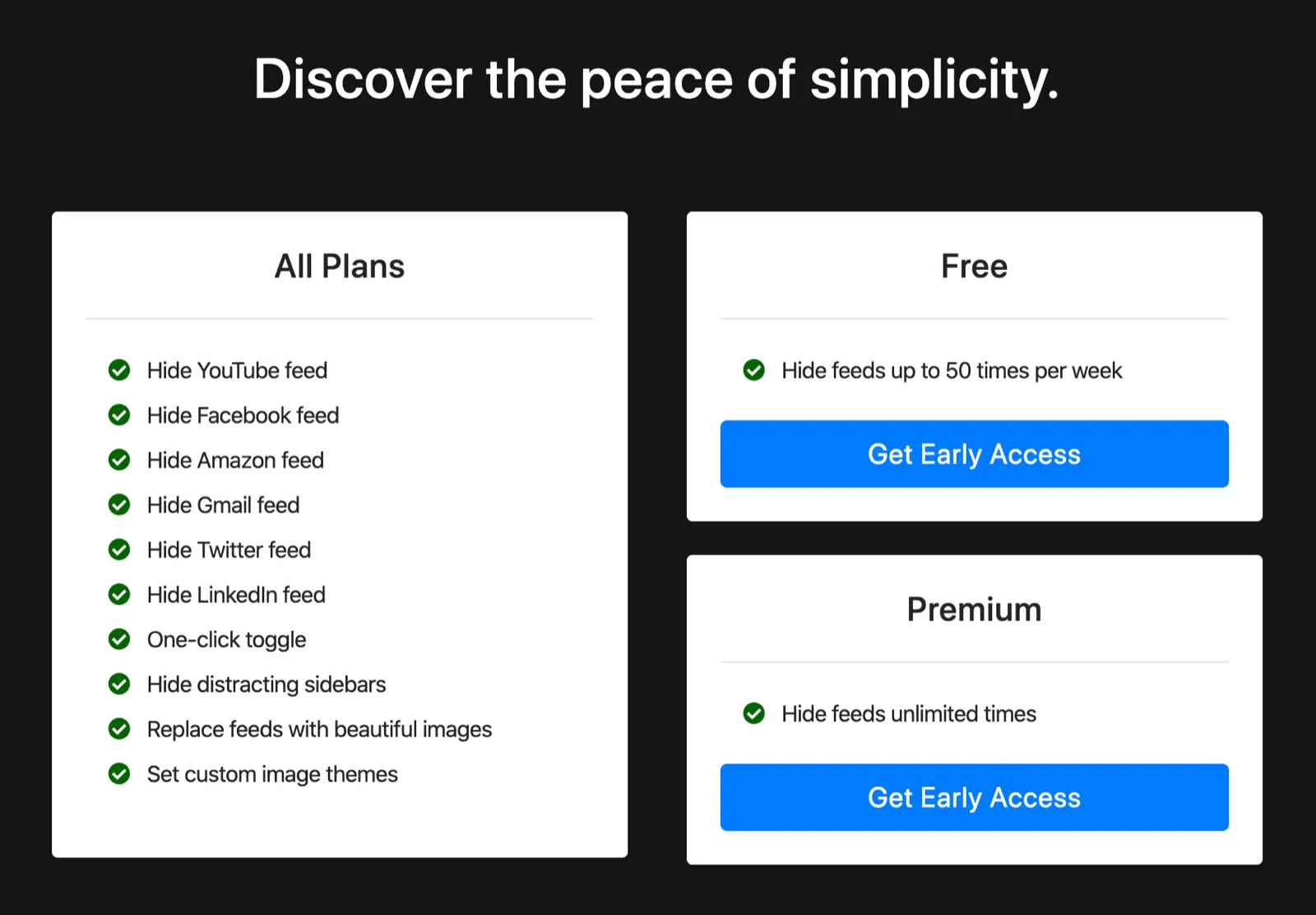
This seems pretty confusing to me, and I’m not sure how much things would change by tweaking the design and copy. I think a usage-based model will be inherently harder to communicate in the case of Hide Feed than a feature-based model. Perhaps the clarity of the feature-based model would makes it a better approach than the usage-based model even though I think the usage-based model is much better aligned with the value people would get from upgrading.
Right now, I’m slightly leaning toward the feature-based model due to its simplicity, so I’m going to head in that direction unless I find a good reason to change (I might also change my mind randomly, which happened even while writing this post).