Day 7: How I Track My Work
As I’ve developed various projects, I’ve found that it really helps to have a record of the things I’ve done and why. I’ll occasionally encounter an older piece of code I wrote that makes me pause and think “…why?”, and it really helps to be able to be able to look at my original reasoning so that I don’t mistakenly think, “I probably didn’t know what I was doing. I’ll clean this up”, rewrite the code, re-introduce some subtle bug, and then realize that I’m an idiot days or weeks later.
In the past, I just trusted that comments in my code or git commit messages would be enough to keep track of everything I did and why, but I’ve found a much better solution: GitHub Issues. I had always assumed you’d only use GitHub Issues if you were collaborating on a project with other people, but I’ve since found that it can be used a fantastic way to keep track of your work even if you’re working alone. Here’s the process I use:
-
Before working on anything nontrivial*, create an issue for it in GitHub Issues
- *Sometimes, it’s tricky deciding what’s trivial or not. Changing a word in a form label? Trivial. Adding an onboarding flow? Nontrivial. Adding something to your toolchain to improve your workflow? Not clear.
-
As you work on the issue, write down your thought process and any decisions you make about fixing the problem.
-
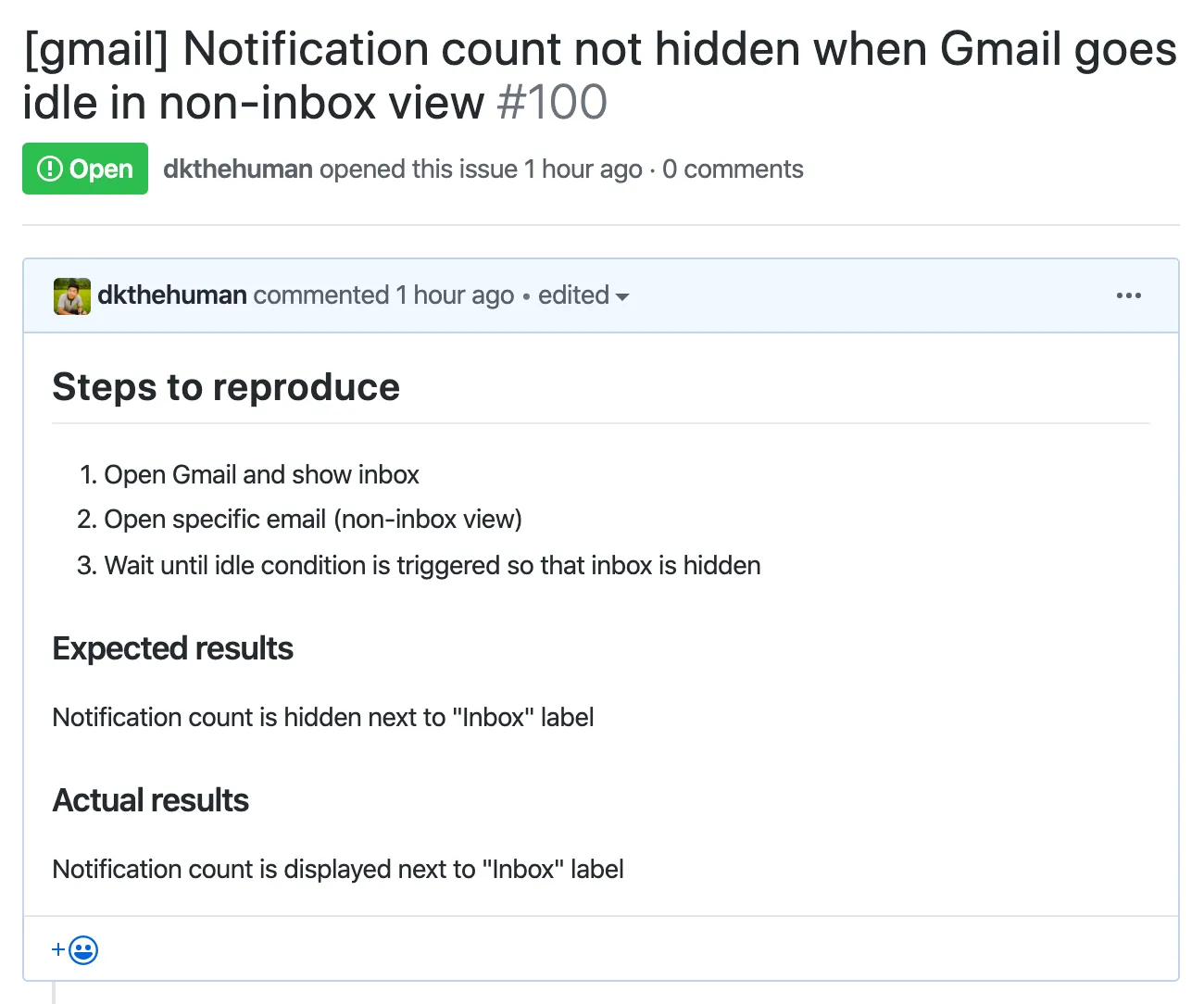
If you’re fixing a bug, write down steps to reproduce the issue. This is critical because it’ll help you know exactly what you fixed when you have no idea deciphering some gibberish description you wrote actually entails. To give an example, here’s an issue I created earlier today (my 100th issue!):
-
For other kinds of changes, it helps to explain what’s going on in your mind. Here’s an example of me thinking through how to remove the scary “Read your browsing history” prompt when setting up the extension:
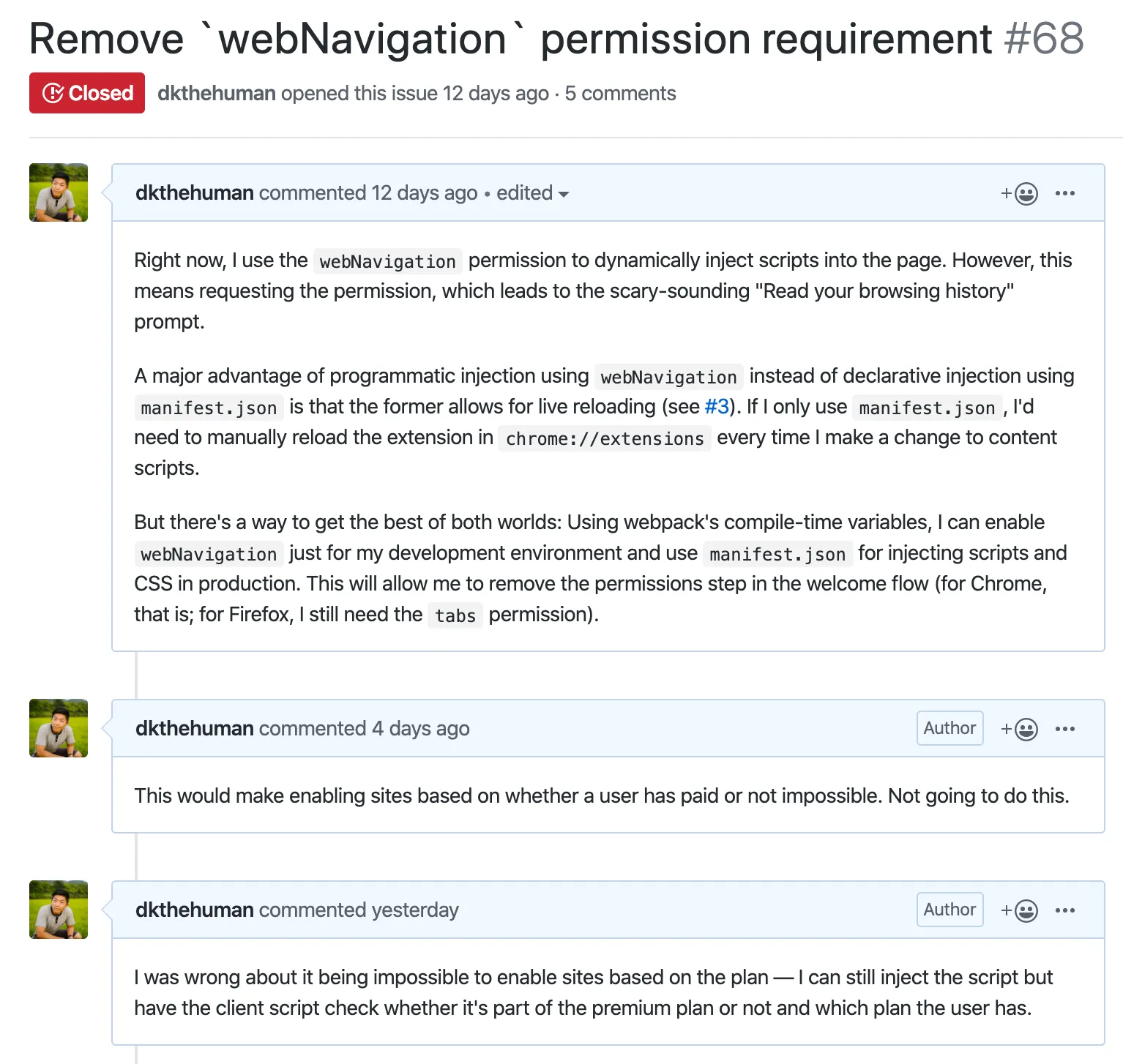
- Having a record of why you made a particular decision helps you decide later on whether it still makes sense or not. Here, I realized that my assumptions had been wrong and helped me confidently proceed with changing the existing logic.
-
-
Reference the issue number in relevant Git commits.
-
When you include an issue number in a commit, GitHub automatically creates a reference in the issue. You can also use special keywords to close issues. My convention is to use “For #{ISSUE_NUM}” for a commit that is leading towards closing the issue and “Closes #{ISSUE_NUM}” for a commit that closes the issue.
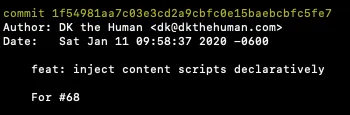
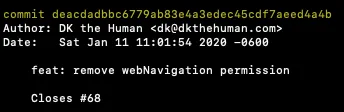
This shows up in the issue like so:

-
That’s it! It might seem like a lot of overhead to add to the task of actually building your project, but it becomes second-nature after a while. And the benefit of having a lasting record of all your decisions is more than worth it.
For example, I realized later that the approach that I took to resolve the issue above actually didn’t fix it and that I needed to take a different approach. By looking at the issue and all the referenced commits, I knew exactly what I needed to change and have the confidence that I wasn’t going to accidentally modify something unrelated. And by updating the issue with my thought process around the new approach, I’ll have a complete record of each step towards the current implementation if I ever revisit this approach.
Some additional benefits of tracking everything in GitHub Issues is that you have an easy way to reference all the things that need to be done by looking at the open issues and have the psychological satisfaction of seeing your progress by looking at the closed ones.
Hope this helps!