Day 59: Hide Feed Wishlist
I’m launching Hide Feed on Product Hunt tomorrow! I spent quite a bit of time creating the assets for the post today so I’m hoping it’ll pay off. On a side note, I need to learn to hire and work with freelance designers because I can feel my lack of design skills holding me back… at the same time, I am very keen on developing my design abilities and maybe doing everything myself is helping me learn those skills?
Hide Feed feels like a mature product at this point — it’s stable, does what it needs to do, and most importantly, it just works. I feel quite confident in the quality of the product and I’m excited to have more people use it.
I’ve been thinking about where I want to take Hide Feed, so here’s a list of ideas, big and small, that hold potential for improving Hide Feed:
Better feature discovery
My friend Jeremy came over for dinner today and we got to talking about Hide Feed because he’s been using it for several months now. He mentioned that he didn’t use it on Gmail and didn’t see why anyone would. I explained that it’s helpful for only looking at your inbox when you want to and not when you’re trying to find a particular email or write a new email. Then I discovered something interesting: He never shows his feeds. For all the sites that he has Hide Feed enabled, he never clicks on the browser icon to reveal the feed.
I found out that he didn’t know that he could click on the browser icon to show the feed. And on reflection, that’s not surprising. The only times that feature is mentioned is on the landing page and during the onboarding, and they’re easy to miss:
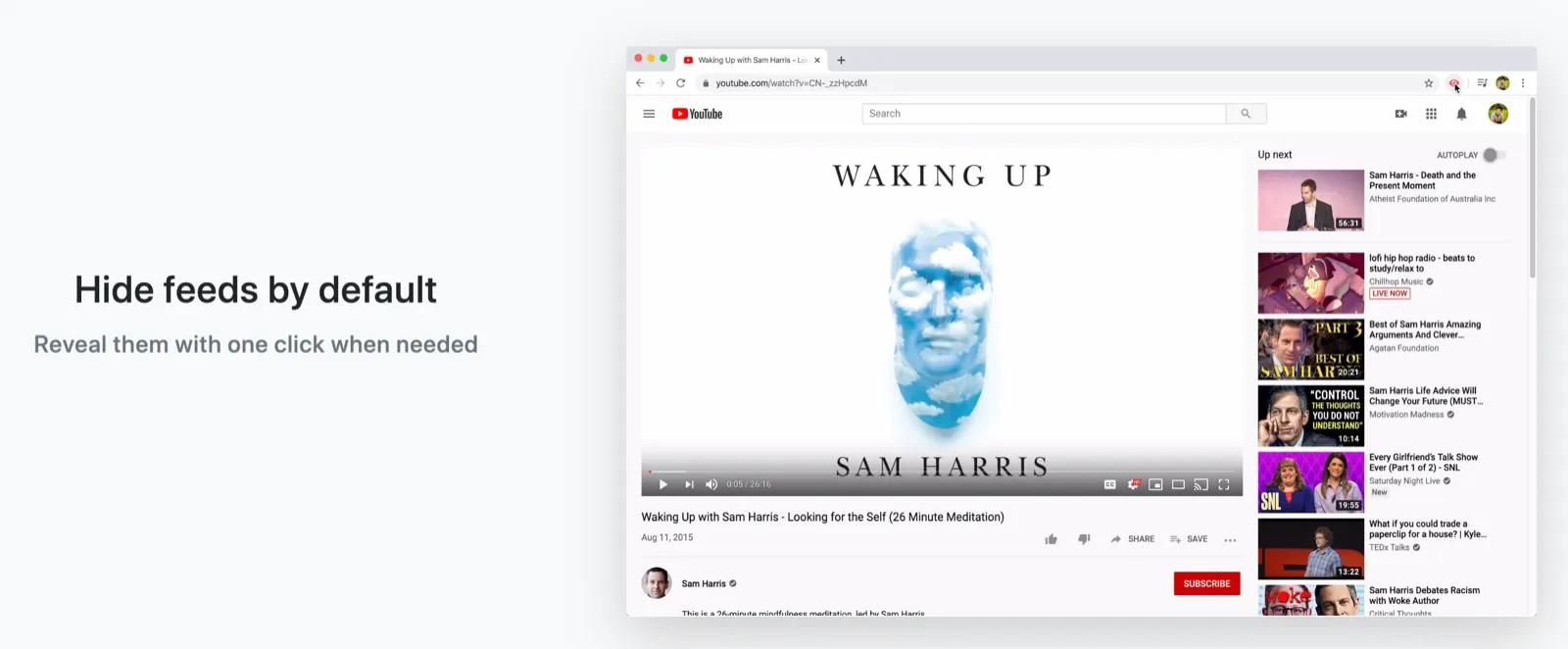
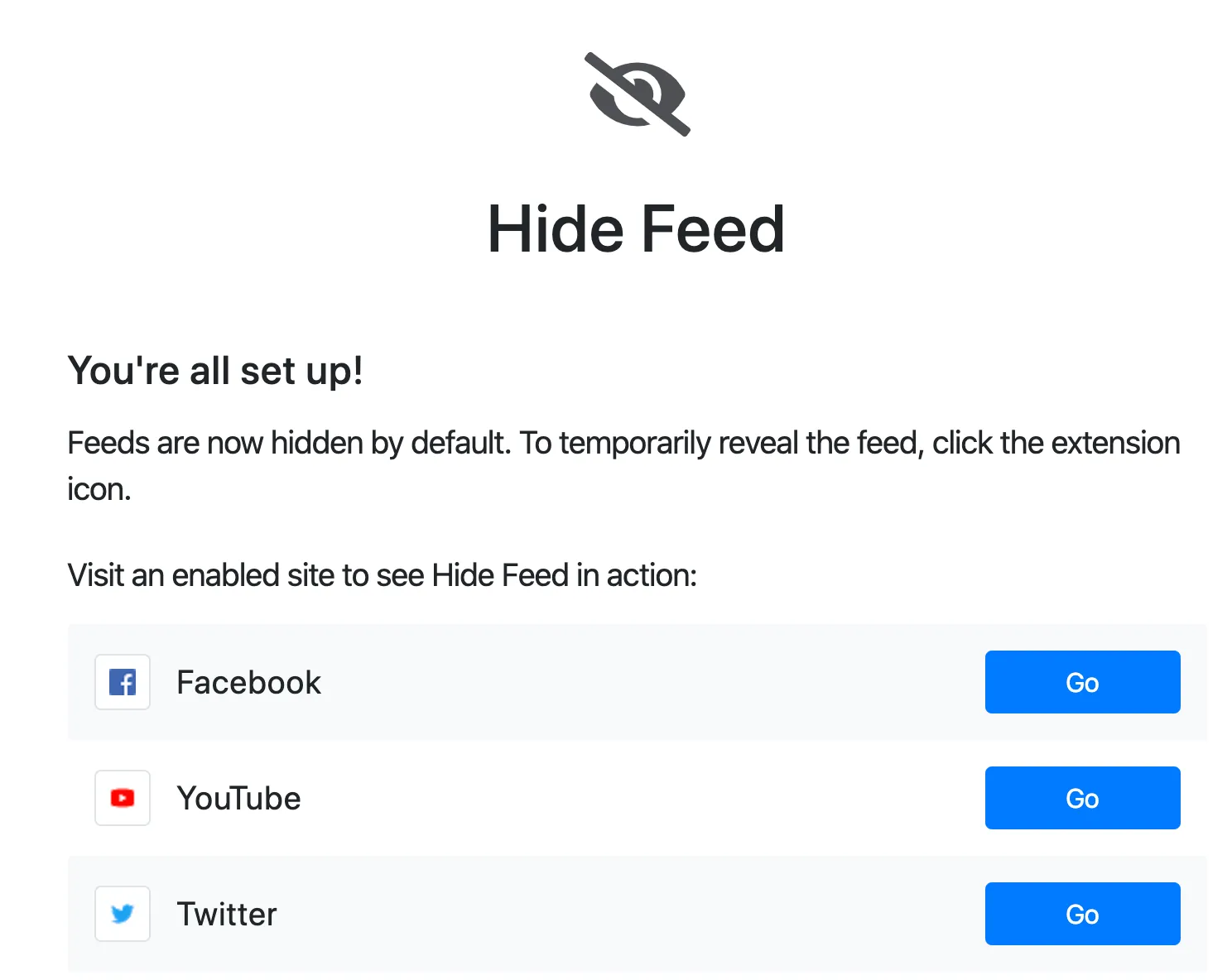
When I told Jeremy about being able to click the icon, he said that he didn’t want to use that because he wants to keep his feeds hidden.
It seems that there are two use cases that Hide Feed serves:
- Hiding feeds all the time
- Hiding feeds until they’re needed
The people in the first use case don’t want an easy way to show their feed. They want it be hidden and stay hidden.
The people in the second use case want an easy way to show their feed. They want their feed to be hidden by default, but available when it’s needed.
I designed Hide Feed for the second use case because that’s how I use it. For example, I don’t want the feed to be visible if I just want to write a tweet, but I do want to be able to look at it at times.
Do I want to focus on serving the second use case or try to serve to both well? For example, making it clearer that you can click the extension icon to show the feed would help people discover the benefit of Hide Feed on sites like Gmail, but it’d probably make it worse for people with the first use case who don’t want the temptation of being able to show their feed.
Another example: I followed through on a feature request to be able to set a schedule, but in retrospect, I should’ve thought more deeply before implementing it — a schedule only makes sense if you don’t know that there’s an easy way to reveal the feed when needed.
Right now, I’m leaning toward making it clearer that the extension icon shows the feed and removing the schedule feature, but I can also see the argument for keeping the schedule feature and supporting the first use case.
Google Photos integration
Being able to see photos you’ve taken or those of your family, friends, pets, and other loved ones makes Hide Feed quite delightful. Hide Feed currently supports being able to add your custom photos, but it’s too much of a pain in the butt for most people to download their photos and upload it. Integrating with the Google Photos API so you can select an album you want to view would be pretty sweet, but the quota is quite low: a project can only make 75,000 requests to access media bytes (e.g. loading a photo) per day. I’d hit the quota if only 7,500 users load 10 photos in a given day.
Hide any element
My friend Kelly sends me helpful suggestions on other things that Hide Feed could do, like hide the related items on the “Added to cart” sidebar:
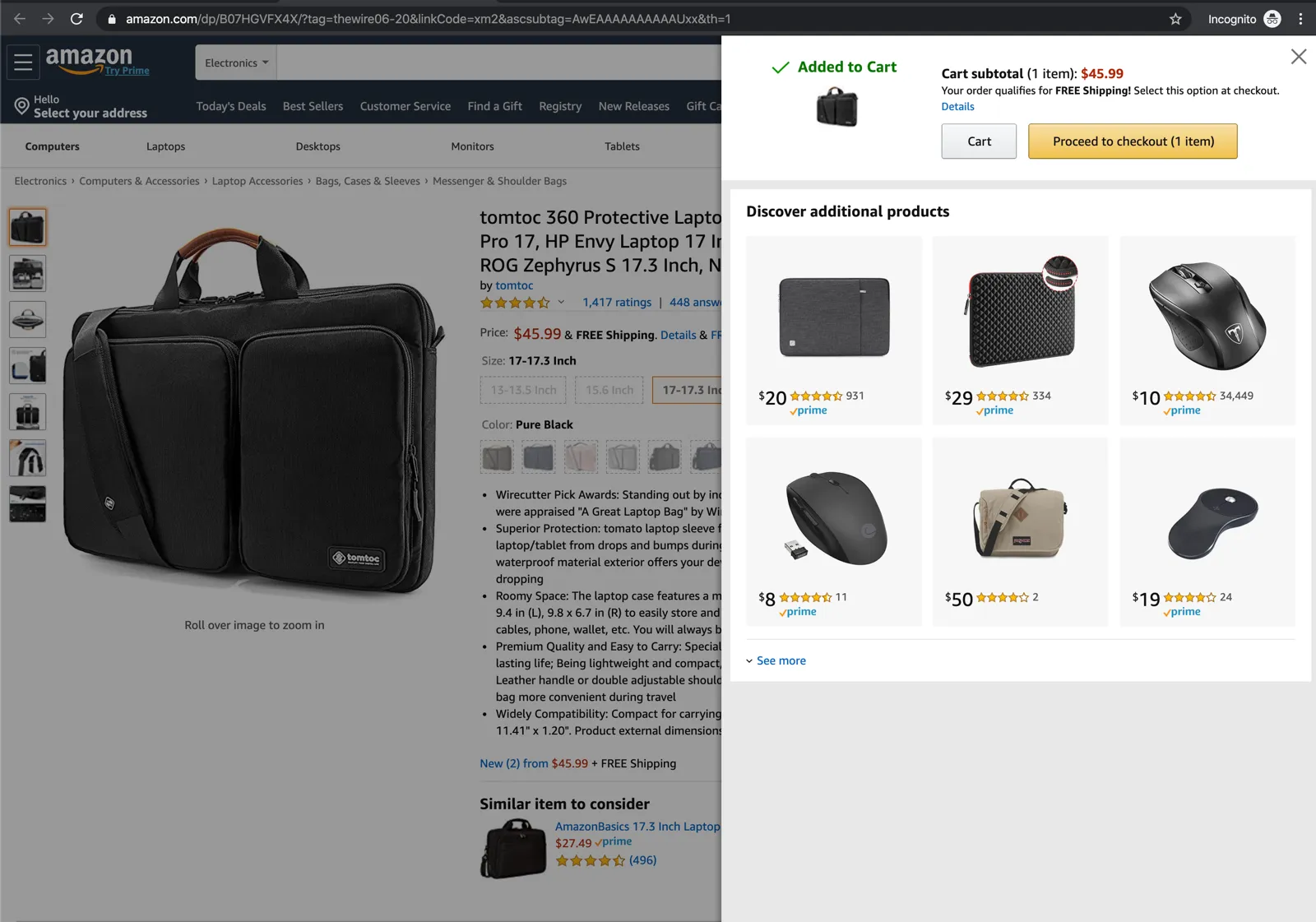
Building an element picker that allows users to hide any element they want would make Hide Feed even more useful.
Modify any site
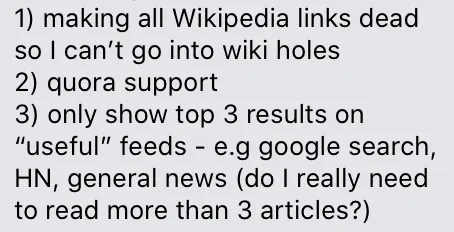
Going further on that idea, providing a way for anyone to run any CSS or Javascript they want on any site would make Hide Feed extremely useful (but could also be a security nightmare). For example, my friend Cathy sent me some features she wanted:
It’d be really exciting to create a platform that allows developers to share scripts and CSS that allow them to easily modify sites in whatever ways they want. It’d provide the power of browser extensions to people who either can’t or don’t want to build an extension for some feature they want. This might be worth building a separate extension for.