Day 527: Unlike Tweets Tutorial
This post serves two purposes:
- Write instructions to help Shiva set up flows for unliking tweets
- Help me identify product areas where things can be improved
Background
I made a flow that automatically unlikes tweets after X days because it’s honestly really strange that all of your likes are visible for everyone to see forever and ever. It’s weird in the same way that Venmo’s attempt to make financial transactions into a some sort of fun voyeuristic social phenomenon is. What companies will do for engagement…
Anyway, where was I. Here’s a tweet I shared about the flow I built:
https://twitter.com/dk_the_human/status/1404963118887751689
Flows
Doing this requires two flows:
- Flow 1 automatically saves all of your liked tweets every day
- Flow 2 unlikes those tweets after X days has passed (you choose X)
The result is that you get an archive of all of your liked tweets in Google Sheets and people can’t dig up some weird thing you liked 5 years ago and make fun of you for it.
Instructions
Flow 1: Saving liked tweets
Install Flow 1
-
Install the flow to save your liked tweets: https://browserflow.app/shared/6e97ee4f-4add-4b8d-ab56-09267c1aa74f
-
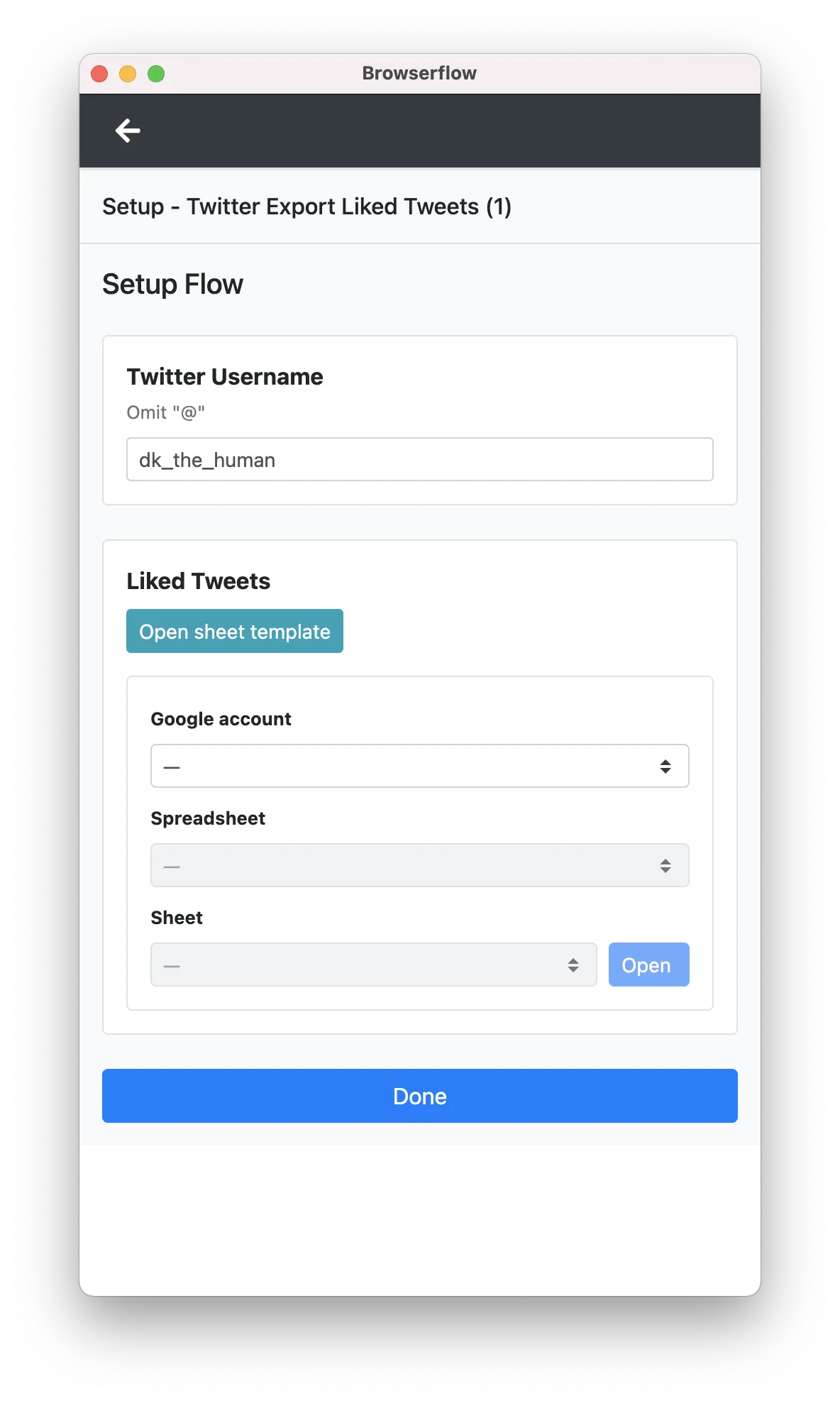
Enter your Twitter username
-
Click “Open sheet template”
-
Click File > Make a copy
-
Connect your Google account and select the spreadsheet you just created from the template̋
-
Click “Done”
Initialize Flow 1
If you have a lot of liked tweets, Browserflow Cloud will time out (it quits after 1 minute of execution) so you should populate the spreadsheet by running the flow locally since that can run forever.
-
Click “Run”
-
Go take a nap or do pike pushups or something while you wait
- You can also create a new window to continue browsing while Browserflow does its thing
-
When the flow is done, verify that it worked correctly by checking the spreadsheet
Setup Flow 1
Now we’ll setup the cloud flow to save any new tweets that you like from now on.
-
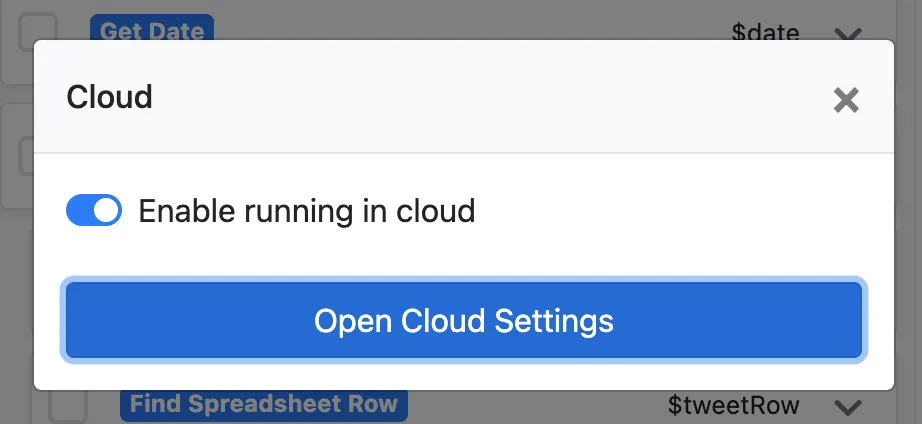
Click “Cloud”, enable running in cloud, and open cloud settings
-
Set it to run daily and save
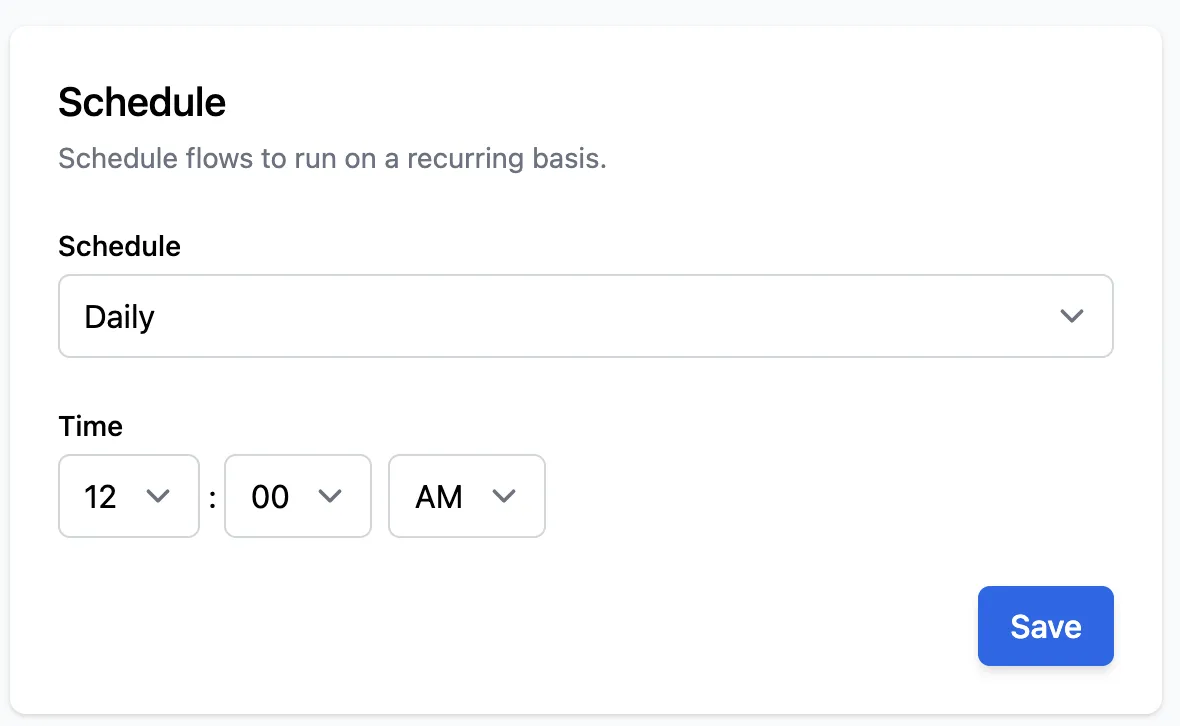
Done! Now your liked tweets are saved automatically.
Flow 2: Unliking liked tweets
Install Flow 2
-
Install flow: https://browserflow.app/shared/d7dade1b-61b7-4e95-91a5-4c2894b007a7
-
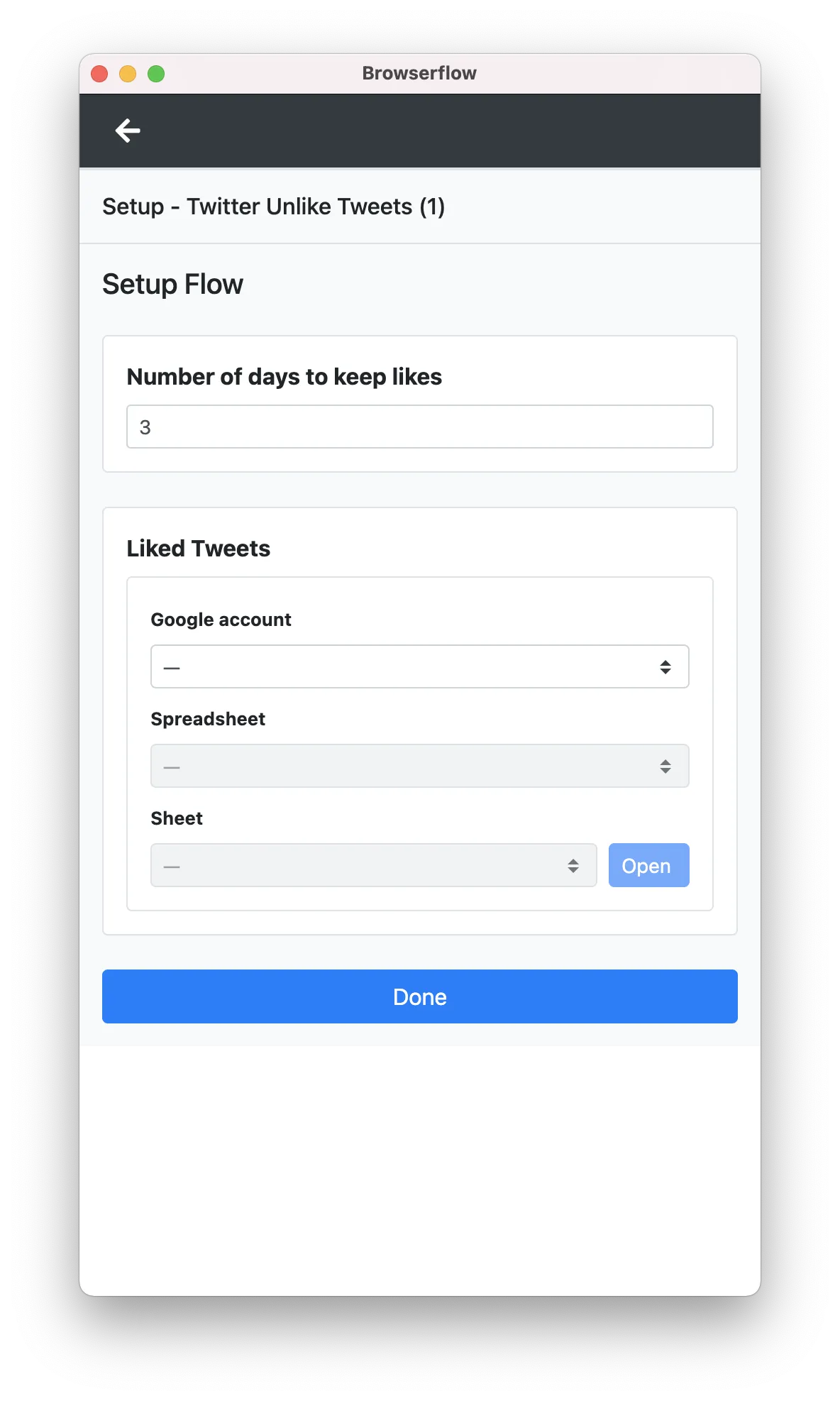
Set number of days to keep likes
-
Select the spreadsheet created for flow 1
Initialize Flow 2
Same as before: If you have a ton of liked tweets, Browserflow Cloud will time out before it’s able to unlike everything so you should unlike all of your existing liked tweets by running the flow locally.
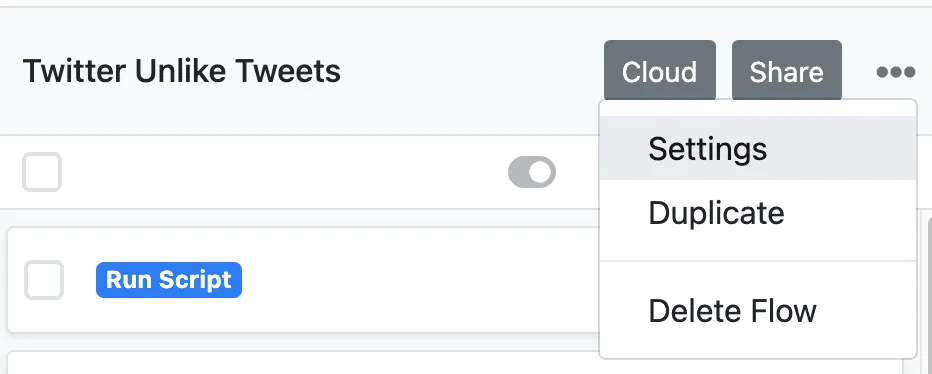
The catch here is that the “Liked Date” for all the backlogged liked tweets will be set to the date it was scraped so you’ll have to set the “Number of days to keep likes” to 0 in order to remove all those likes. You can change that configuration variable inside settings:
-
Click “Run”
-
Take another nap
-
When the flow is done, check the spreadsheet and click on some of the tweets to make sure they’ve been unliked
- I don’t know if Twitter has a daily limit on the number of tweets you can like/unlike. If you run into it, let me know!
-
Change the “number of days to keep likes” back to whatever number you actually want
Setup Flow 2
- Click “Cloud”, enable running in cloud, and open cloud settings
- Set it to run daily and save
Done!
Analysis
There are a lot of areas where this process could be improved:
-
Installing flow
- Browserflow should allow creating a spreadsheet using the template with a single click instead of requiring the user to make a copy themselves and select it
-
Initializing flow
- Honestly, this whole step is pretty lame. The user shouldn’t have to run something locally to work through a backlog. Browserflow should be able to take care of that. The long-term solution here would be to either remove the runtime limitations or introduce a mechanism where Browserflow repeats a large task in small batches until it’s finished.
-
Setup flow
- It’s not an issue here since there’s a delay of a few days between saving a liked tweet and acting on it, but there should be a mechanism to trigger running another flow once one finishes. This way, processes where some data is collected in a flow before another flow acts on that data can be strung together rather than having to space them out using the scheduled time.
-
Other
- There should be a way to group related flows and set up them up together. I helped someone set up a collection of flows that gets the top products from Product Hunt, gets the makers from it, extracts their Twitter profiles, and then follows them on Twitter, and it came out to four different flows that they had to install and setup separately. Pretty tedious. It’d be much nicer to be able to install and setup the collection of flows and have Browserflow understand that these should all run one after another.
oh boy oh boy there’s always so much more room for improvement
fun!!!!!